Bulk-generate & schedule posts in seconds with Smart Scheduling. Try now!
Social Media Calendar: How to Plan a Posting Schedule
 Published by Sadia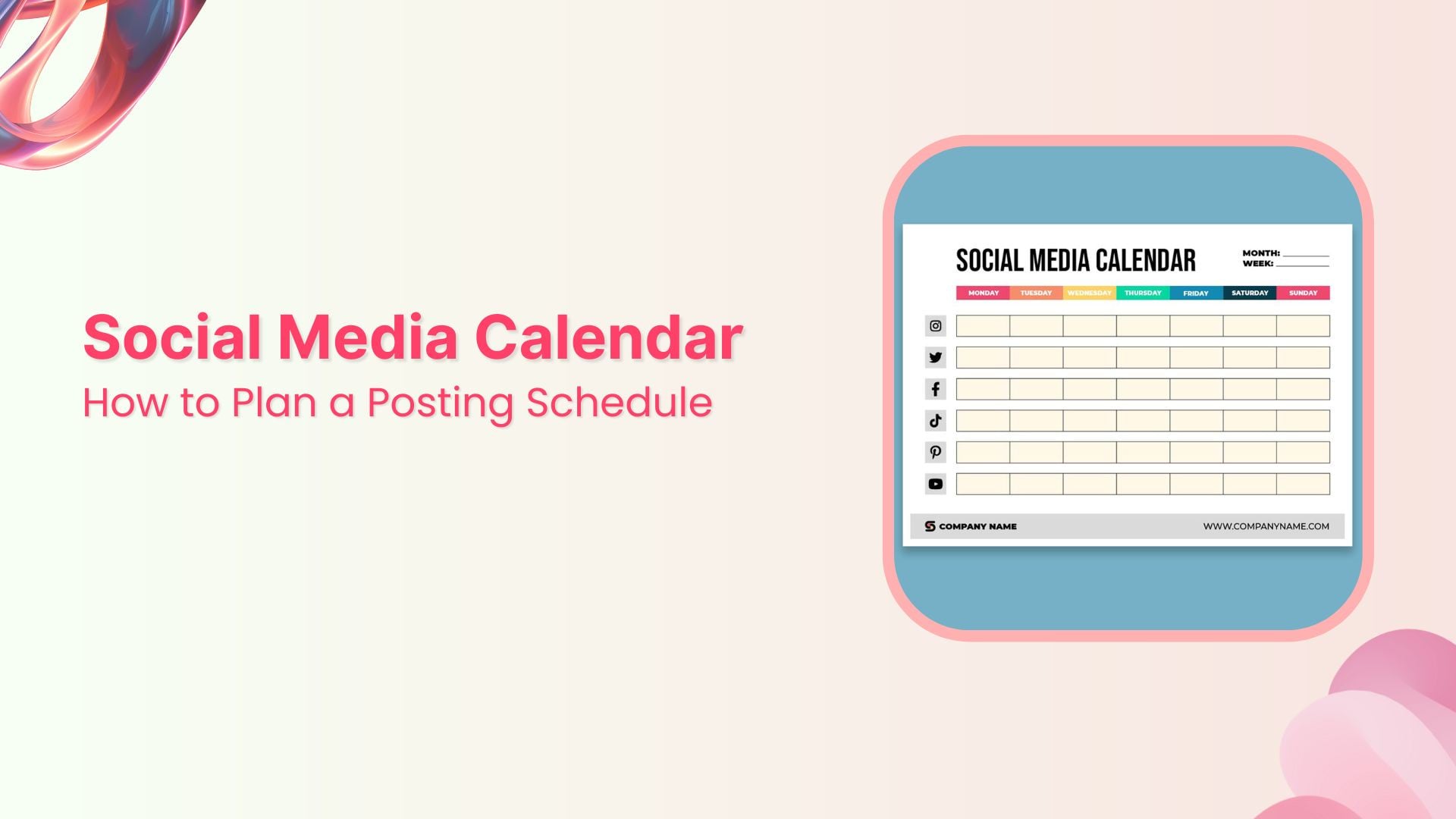
Ever found yourself scrambling last minute for a social media post? A well-organized social media calendar is an essential tool for marketers to manage multiple platforms and maintain a regular posting schedule.
It helps streamline your content planning by clearly outlining what to post, where, and when. Planning ahead allows you to prioritize quality content, align posts with your business objectives, and keep your campaigns on track.
Whether you’re a small business owner or part of a larger marketing team, implementing a structured social media plan can make a significant difference. This guide will help you understand, create, and use a social media calendar effectively.
What is a social media calendar?
A social media calendar is a tool that helps marketers plan and organize content across different platforms. It offers a clear, organized schedule of upcoming posts, including publication dates and times, captions, hashtags, links, and visuals. Serving as a roadmap, this calendar helps maintain consistency and aligns with overall marketing goals.
For instance, a retail brand preparing for a new product launch can use a social media calendar to synchronize posts on Instagram, Facebook, and Twitter to generate excitement. This could involve sharing teaser images a week ahead, hosting a live Q&A on Instagram the day before, and making a comprehensive product announcement on launch day.
Each post can be scheduled with a dependable social media management tool such as ContentStudio, ensuring seamless execution.
Social media calendars can take many forms, such as spreadsheets, project management tools, or comprehensive platforms like ContentStudio.
These tools assist marketers in scheduling and organizing posts while also providing additional features such as AI-generated captions, multi-channel analytics, and unified inboxes, simplifying content creation and boosting audience engagement.
By utilizing these platforms, marketers can keep their social media strategies consistent, on schedule, and effective.
Why a social media calendar is essential for your content marketing plan
A social media calendar is more than a planning document; it’s the backbone of an effective social media strategy. It keeps content organized, supports regular posting, and saves time for teams that manage multiple accounts or campaigns.
Let’s look at six core reasons a calendar should be part of your content marketing plan.
1. It saves time and reduces daily pressure
Managing social media requires daily attention to trends, comments, and content. Without a calendar, the process quickly becomes chaotic and reactive.
A calendar lets you batch-create posts and schedule them in advance. For instance, a retail brand planning a holiday sale can prepare festive posts for the entire month, product spotlights, gift guides, and countdowns, well before the season starts. That frees up time for:
- Responding to comments and DMs
- Joining real-time conversations
- Reviewing analytics and refining campaigns
Instead of scrambling daily, your team spends more time on strategy and less on last-minute posts.
2. It keeps your posting consistent
Consistency is key to building an audience and supporting algorithm signals. A social media calendar helps you maintain a regular posting schedule while protecting your brand voice and visual style.
Take a fitness brand that posts motivational quotes, workout tips, and client success stories. A calendar helps make sure:
- Content is spaced evenly through the week
- Topics are balanced (education, inspiration, promotion)
- No channel goes “dark” for days or weeks
This steady presence builds trust, especially in industries where reliability matters for long-term loyalty.
3. It improves collaboration across teams

Social media campaigns usually involve input from multiple roles: content creators, designers, video editors, paid media specialists, and marketing managers. A calendar acts as a central hub, showing:
- What’s planned
- Who owns each piece
- Which deadlines are coming up
For example, an eCommerce brand preparing a Black Friday campaign can use a shared calendar so:
- Designers know which banners and videos to produce
- Writers can draft captions and CTAs in advance
- Social media managers can schedule posts and set up ads
This visibility reduces last-minute rushes and keeps everyone aligned with the broader campaign.
4. It protects content quality and brand reputation
Rushed posts increase your risk of typos, poor wording, off-brand visuals, and tone-deaf content. A social media calendar gives you time to review posts carefully.
Consider a brand deciding whether to join a trending conversation or meme. Without context or timing, these attempts can backfire, especially during sensitive news cycles. With a calendar and clear approvals:
- Posts are reviewed for accuracy and tone
- Legal or compliance teams can sign off where needed
- Risky ideas can be reworked or removed before they go live
This process protects your brand and helps you avoid preventable missteps.
5. It supports campaign and launch planning
Social media calendars are invaluable for bigger initiatives such as:
- Product launches
- Seasonal campaigns
- Webinars and live events
- Conferences and trade shows
By mapping key dates and milestones in your social media content calendar, you can sequence supporting posts around each phase.
6. It makes content repurposing simple
Tracking content in a calendar creates a record of what you’ve published and how it performed. That history makes it easier to find high-performing posts to reuse or adapt.
For example, a travel agency sharing destination photos might notice that “3-day itineraries” or “hidden gems” posts consistently outperform standard images. These can be:
- Reposted with updated captions
- Turned into Reels or TikToks
- Repurposed in email newsletters or blog posts
Repurposing keeps your schedule full, especially during busy seasons or when production time is tight.
How to create a social media calendar step by step
Building an effective calendar can feel overwhelming, but breaking it into clear steps makes it manageable and repeatable.
Here’s a step-by-step process to create a social media posting calendar that aligns with your goals.
Step 1: Audit your current social media performance
Before you plan ahead, understand what’s happening now. A social media audit involves looking at:
- Past posts and content themes
- Engagement metrics (likes, comments, shares, saves)
- Audience demographics and preferences
- Posting frequency and timings
Start by gathering KPIs for each platform, such as click-through rates, reach, and follower growth. Identify your top-performing posts and look for patterns in topics, formats, and posting times.
Tools like ContentStudio make this easier with multi-channel analytics that show trends and competitor benchmarks.
If videos consistently drive engagement on Instagram while carousels lead to more saves, your calendar should reflect that balance.
Related: How to conduct a successful social media audit [+ free template]
Step 2: Choose your platforms, content types, and cadence
Next, decide which platforms matter most and how often you’ll post on each.
Different networks serve different audiences and content styles:
- TikTok favors short, entertaining, or educational videos
- Instagram supports visual storytelling with Reels, Stories, and carousels
- LinkedIn leans toward professional and thought-leadership content
- Pinterest works well for evergreen and discovery-focused content
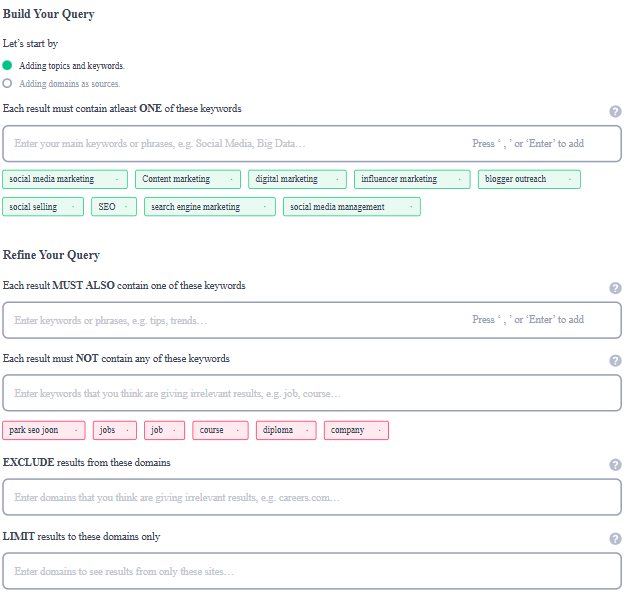
Use ContentStudio’s content discovery feature to research trending topics, hashtags, and formats on each platform. This helps make sure your content is relevant and well-matched to each channel.
Then, plan your content mix. For example, a fitness brand might use:
- Workout tutorials (Reels/shorts)
- Client testimonials (carousels/videos)
- Nutrition or habit tips (static posts or carousels)
- Links to longer-form YouTube videos or blog posts
Finally, define your posting cadence. Use data from your audit (and later, analytics) to decide how many times per week you’ll post on each network.
Step 3: Build your calendar template
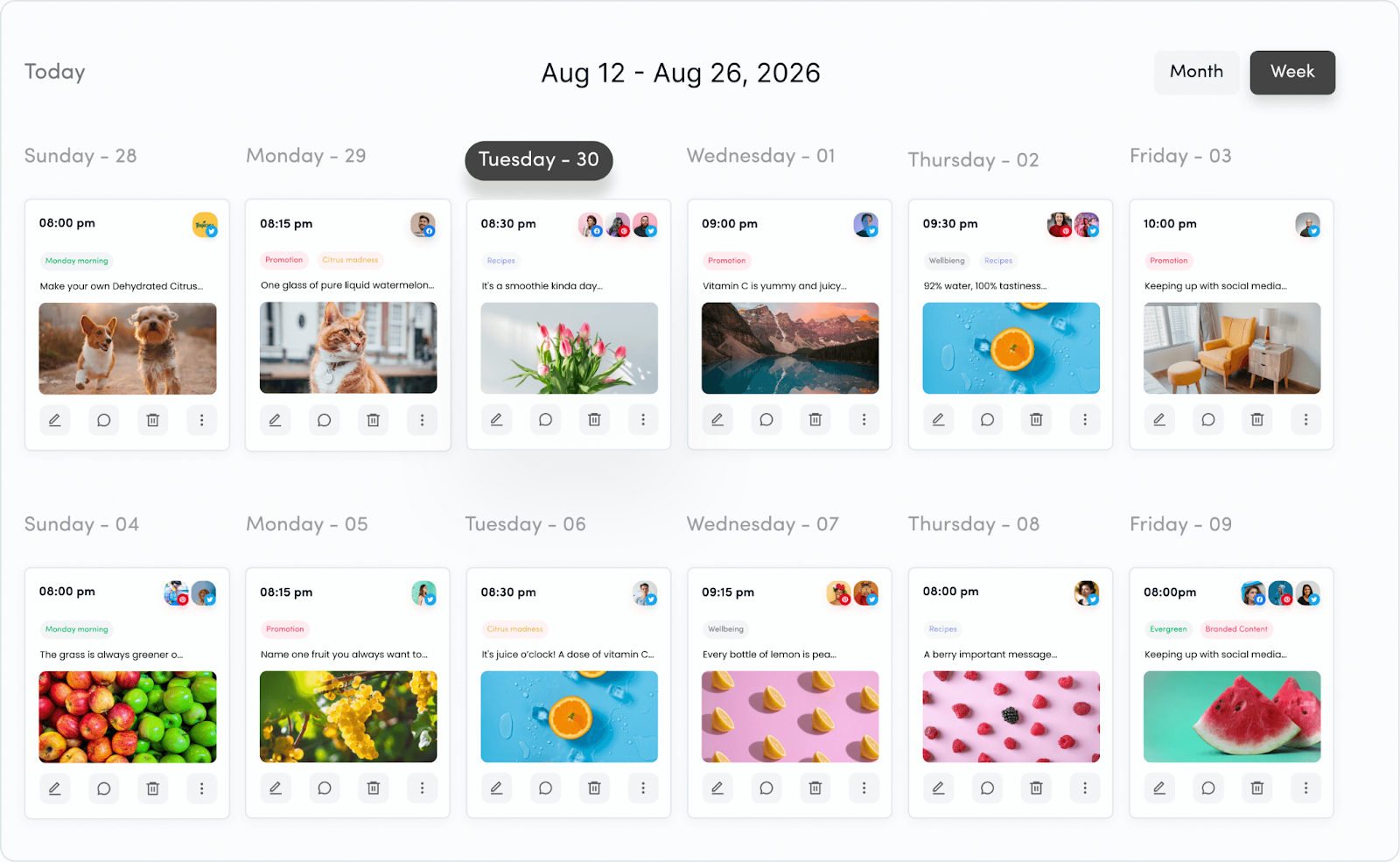
A well-structured template helps organize your posts and offers a clear overview of your strategy. Your template should include:
- Date and time of publication
- Platform and account details
- Post captions, hashtags, and links
- Media assets (images, videos, etc.)
- Approval status and feedback notes
- Campaign associations
Tools such as ContentStudio offer multi-channel content calendars that let you schedule posts visually and easily modify timelines. Moreover, features such as UTM tracking and post preview capabilities ensure your posts meet campaign objectives and display correctly across different platforms.
Step 4: Decide on posting times and frequencies
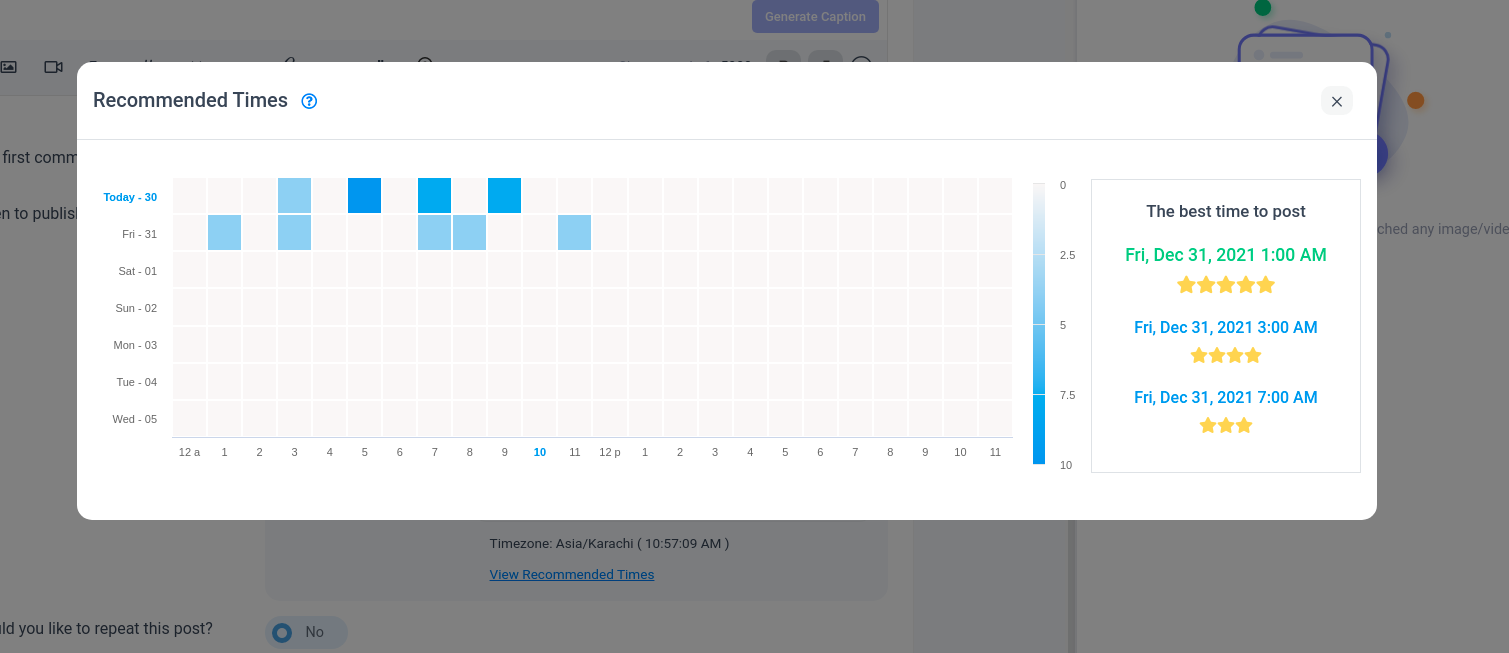
Consistency is central to building audience trust and maintaining engagement. Use your audit and analytics data to choose the best posting windows for each network.
ContentStudio’s Best Time to Post feature reviews audience behavior to recommend strong times for visibility and engagement.
A balanced starting schedule might look like:
- Instagram: 3–5 feed posts per week + 7–10 Stories
- LinkedIn: 2–4 posts per week
- TikTok: 3–7 posts per week, depending on your team capacity
- Facebook: 3–5 posts per week
Adjust based on your analytics and resources, rather than chasing generic “best practice” numbers.
Step 5: Produce content and set up workflows
Once your schedule is defined, focus on creating platform-specific content.
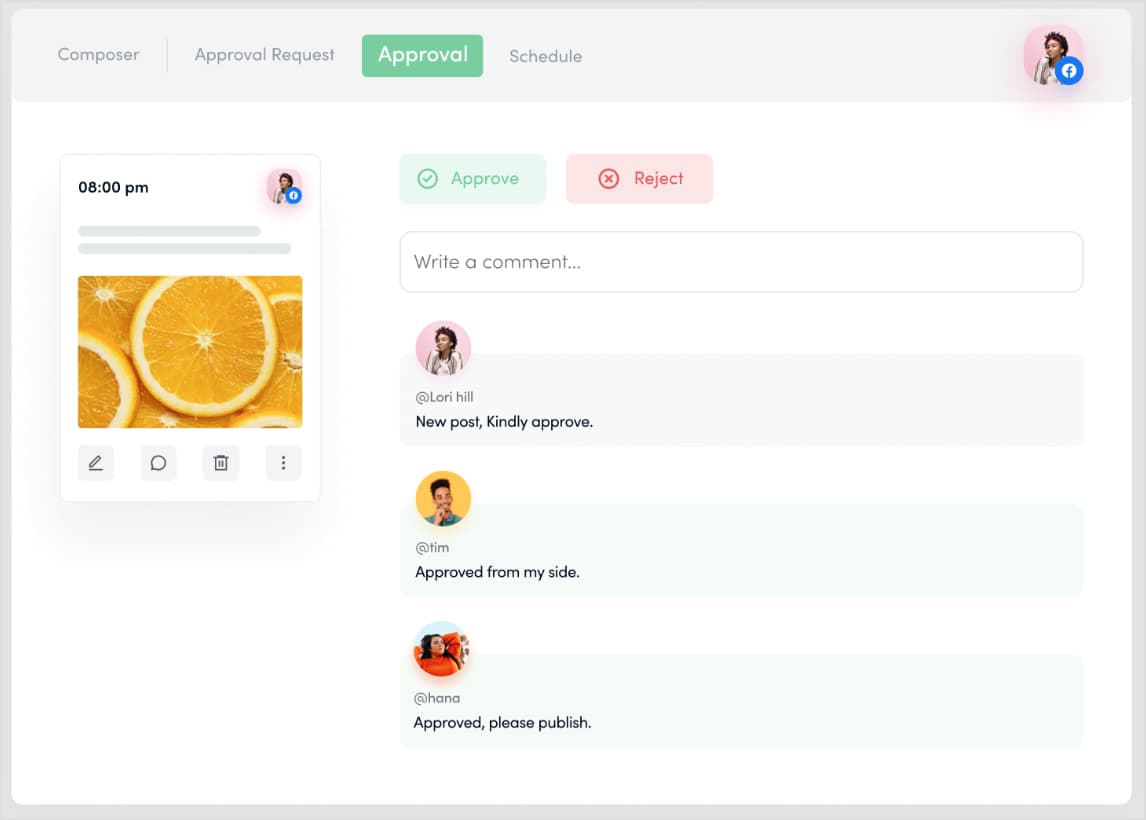
ContentStudio’s approval workflows help teams gather feedback, manage revisions, and confirm posts match brand guidelines before publishing. You can:
- Assign copywriting, design, and scheduling tasks
- Leave comments directly on posts
- Track approval status without chasing email threads
For a product launch campaign, for example:
Stakeholders review and approve everything in one workspace
Marketing drafts the messaging
Design creates visuals and video clips
Related: A comprehensive guide to create engaging content in 2025
Step 6: Schedule posts in advance
Scheduling ahead lets you focus on people, not just posts.
ContentStudio’s automation recipes allow you to batch-schedule posts across multiple platforms, reducing manual work. You can:
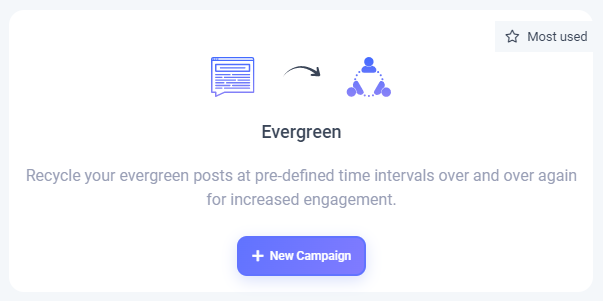
- Use the Evergreen feature to re-queue high-performing posts at smart intervals
- Use the bulk upload option with a simple CSV file to schedule weeks or months of content
This is especially helpful for agencies and larger teams that handle many accounts across multiple time zones.
Step 7: Monitor and analyze performance
Step 7: Monitor and analyze performance
Your social media calendar is a living document. Regular performance reviews help you see what’s working and what needs to change.
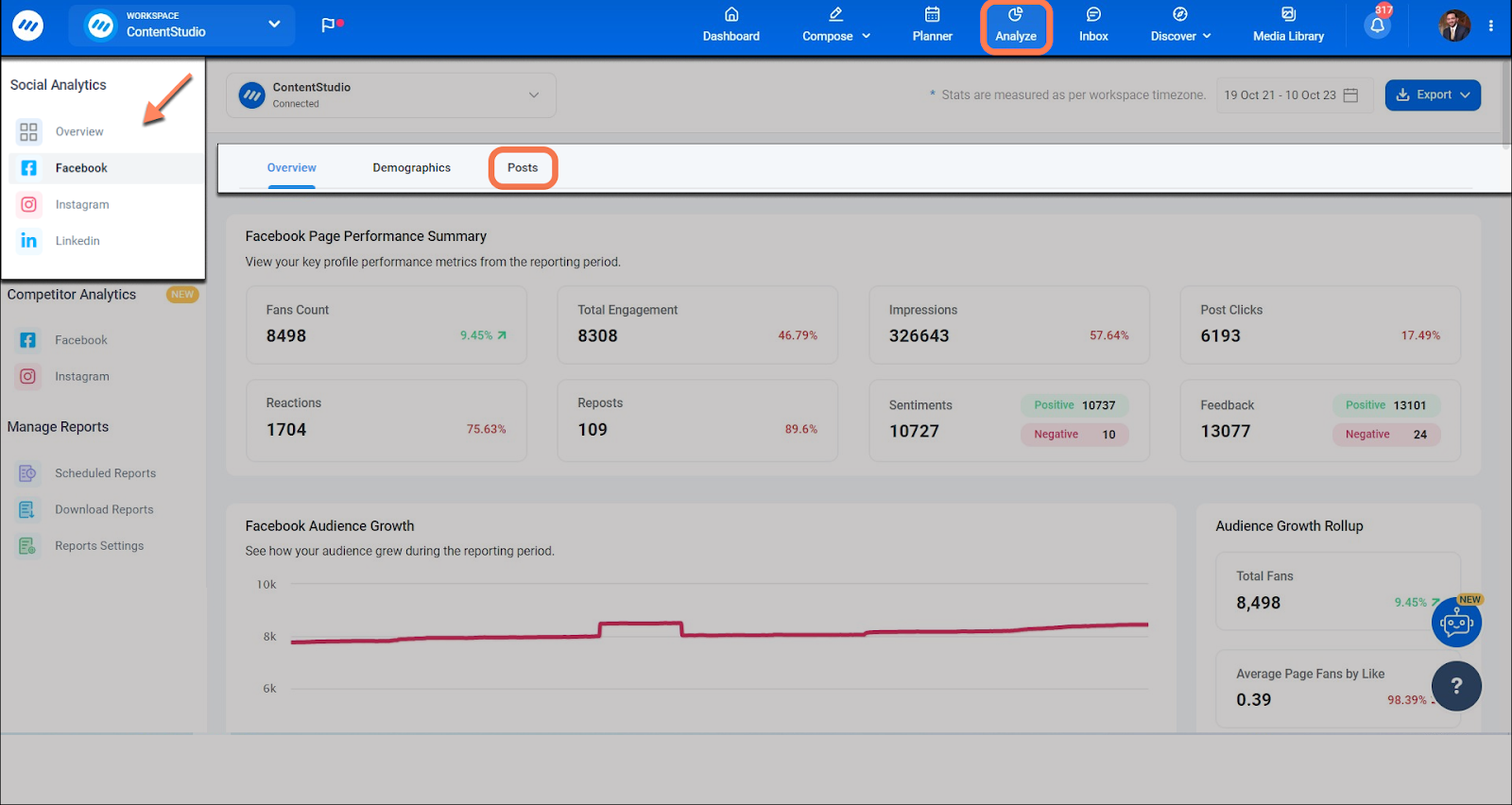
ContentStudio’s analytics dashboard provides cross-channel reports, including:
- Audience growth
- Engagement trends
- Traffic and conversions from specific posts
If analytics show a spike in engagement for behind-the-scenes videos or “day in the life” content, you can increase those formats in your calendar and cut back on what underperforms.
What to include in your social media content calendar
| Field | What it’s for |
| Date & time | Makes sure posts go out when your audience is most active |
| Platform & profile | Clarifies where the content will be published |
| Post title/topic | Quick snapshot of what the content covers |
| Full post copy/caption | Final text, including CTAs |
| Media assets | Links to images, carousels, videos, stories, or reels |
| Links & UTMs | URLs and tracking parameters for measuring traffic and conversions |
| Hashtags | Discoverability and partner/influencer tagging |
| Content format | Image, video, Reel, Story, carousel, poll, live, etc. |
| Content pillar/category | Educational, promotional, inspirational, community, etc. |
| Owner & approver | Who created and who signs off on the post |
| Status | Draft, In review, Approved, Scheduled, Published |
Whether you manage this in a spreadsheet, consistency in these fields turns a basic posting schedule into a reliable system.
Best practices for managing your social media posting schedule
Managing a calendar takes more than planning; it needs regular updates, collaboration, and data-driven decisions, much like how to write a research paper faster requires systematic organization and strategic planning. Use these best practices to keep your social media posting schedule effective over time.
1. Let data guide content and timing
Use analytics to understand what resonates with your audience and adjust your calendar accordingly. Look at:
- Engagement rate (not just likes)
- Saves and shares (signals of strong value)
- Click-throughs and conversions
If Instagram Stories outperform feed posts, dedicate more time to Story-first content. Native tools like Facebook Insights and X Analytics, along with ContentStudio reports, help you refine your mix.
Related: 15 best practices for crafting relatable content in 2025
2. Leave room for real-time posts and trends
A structured calendar matters, but a rigid plan can make you miss timely opportunities.
Reserve a few flexible slots each week for:
- Breaking industry news
- Viral trends that fit your brand
- Live coverage of events, conferences, or product milestones
During an industry event, for instance, you might share live-tweet threads, LinkedIn updates, or Instagram Stories to join the conversation in real time.
3. Involve multiple teams
A strong social media schedule reflects input from marketing, product, sales, and customer service.
Encourage teams to contribute:
- Frequently asked questions for Q&A posts
- Feature updates and roadmap milestones
- Customer stories, testimonials, and case studies
Using shared tools or project management platforms keeps everyone aligned on responsibilities and deadlines.
4. Diversify content formats and themes
Keep your content mix varied to hold interest. Blend:
- Educational infographics and explainers
- Entertaining Reels or TikToks
- Promotional offers and product features
- User-generated content and testimonials
- Behind-the-scenes posts and culture highlights
Your social media content calendar should reflect this mix so one type of post doesn’t dominate.
5. Use clear labels and categories
5. Label and categorize your posts
Organize your calendar with labels that mark:
- Post type (video, image, poll, link, Story)
- Theme (education, promotion, community, recruitment)
- Funnel stage (awareness, consideration, conversion, retention)
This makes it easier to:
Spot gaps or overemphasis
See whether your content mix is balanced
Report on performance by category
Related: Optimize your social strategy with ContentStudio’s label performance analytics
6. Use automation wisely
Automation saves time and keeps your schedule consistent, without tying you to your device.
Use a powerful social media automation tool to:
- Publish at your audience’s peak times
- Recycle evergreen content on a set cadence
- Fill recurring content slots (e.g., “Tip Tuesday,” “Founder Friday”)
Automation handles repeatable tasks while you focus on creative and strategic work
7. Review your calendar regularly
Set a recurring schedule to review and adjust your calendar; monthly or bi-weekly works well.
During these reviews:
- Check performance against KPIs
- Remove content that’s outdated or off-strategy
- Add new campaigns, launches, or seasonal events
This habit keeps your plan grounded in real results rather than assumptions.
8. Document wins and learnings
Use your calendar (or a separate tab) to record key achievements:
- Follower or subscriber milestones
- Campaigns that delivered strong ROI
- Posts that exceeded benchmarks
If a specific campaign drives a noticeable increase in website traffic, note:
- The hook used in the caption
- The creative format
- The posting time and day
This practice builds a reference library you can revisit when planning new campaigns.
Tools to manage your social media calendar and schedule
Managing a social media calendar can be challenging, especially when handling multiple platforms, content types, and approvals. Without a clear social media posting schedule, brands often face inconsistency and missed opportunities.
Fortunately, modern social media calendar tools are designed to simplify planning, improve teamwork, and maintain consistency across channels. A well-structured social media content calendar ensures your posts go live at the right time, on the right platform, with the right message.
Below are five top social media calendar tools to help you create an efficient social media posting calendar and stay organized
1. ContentStudio: All-in-one social media management
ContentStudio is a robust social media management tool that combines content scheduling, collaboration, and analytics into a single platform. Tailored for agencies and large teams, it offers an intuitive calendar to plan, create, and manage posts effortlessly.
Key features:
- Unified content calendar: Plan and visualize content for multiple social media channels in one place. Use different views like Calendar, List, Feed, Instagrsam Grid, or TikTok Grid to customize how you organize posts.
- Approval workflows: Collaborate with teams and clients using built-in approval workflows, allowing for smooth feedback and revisions.
- Content categories and publishing queues: Organize your posts into categories such as educational, promotional, or user-generated content. Use publishing queues to automate post scheduling based on predefined categories.
- Digital asset library: Store and manage media files in a centralized library, making it easy to find and reuse assets.
- Advanced filters: Search and organize content by campaign, status, platform, or team member for improved accessibility.
Why choose ContentStudio?
Its blend of automation, collaboration, and analytics makes ContentStudio a standout choice for teams looking to manage complex social media strategies with ease. Whether you’re handling client accounts or internal campaigns, this tool ensures productivity and organization.
Plan, schedule, share, and analyze content for 15+ social media channels.
Try ContentStudio for FREE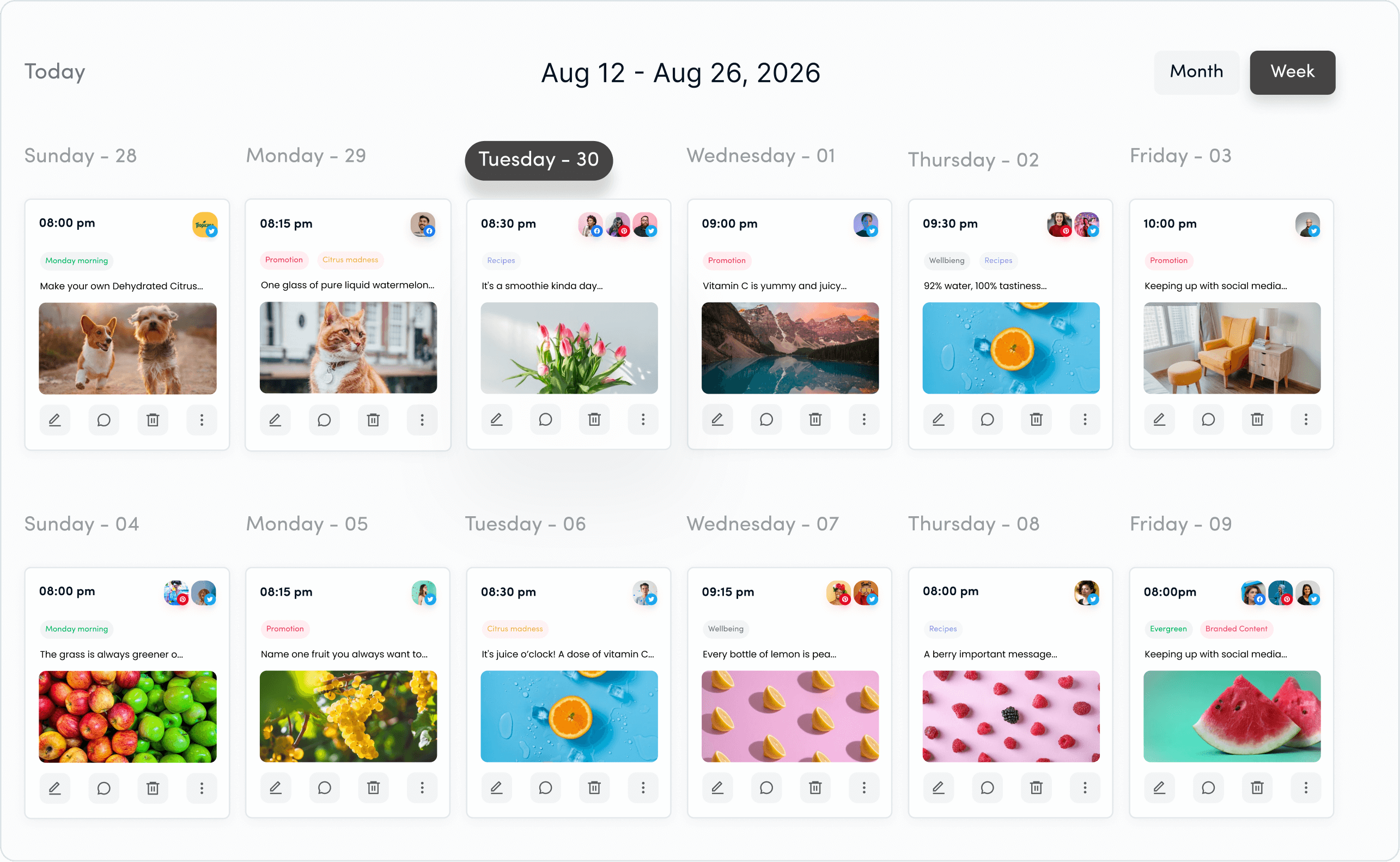
2. Planable
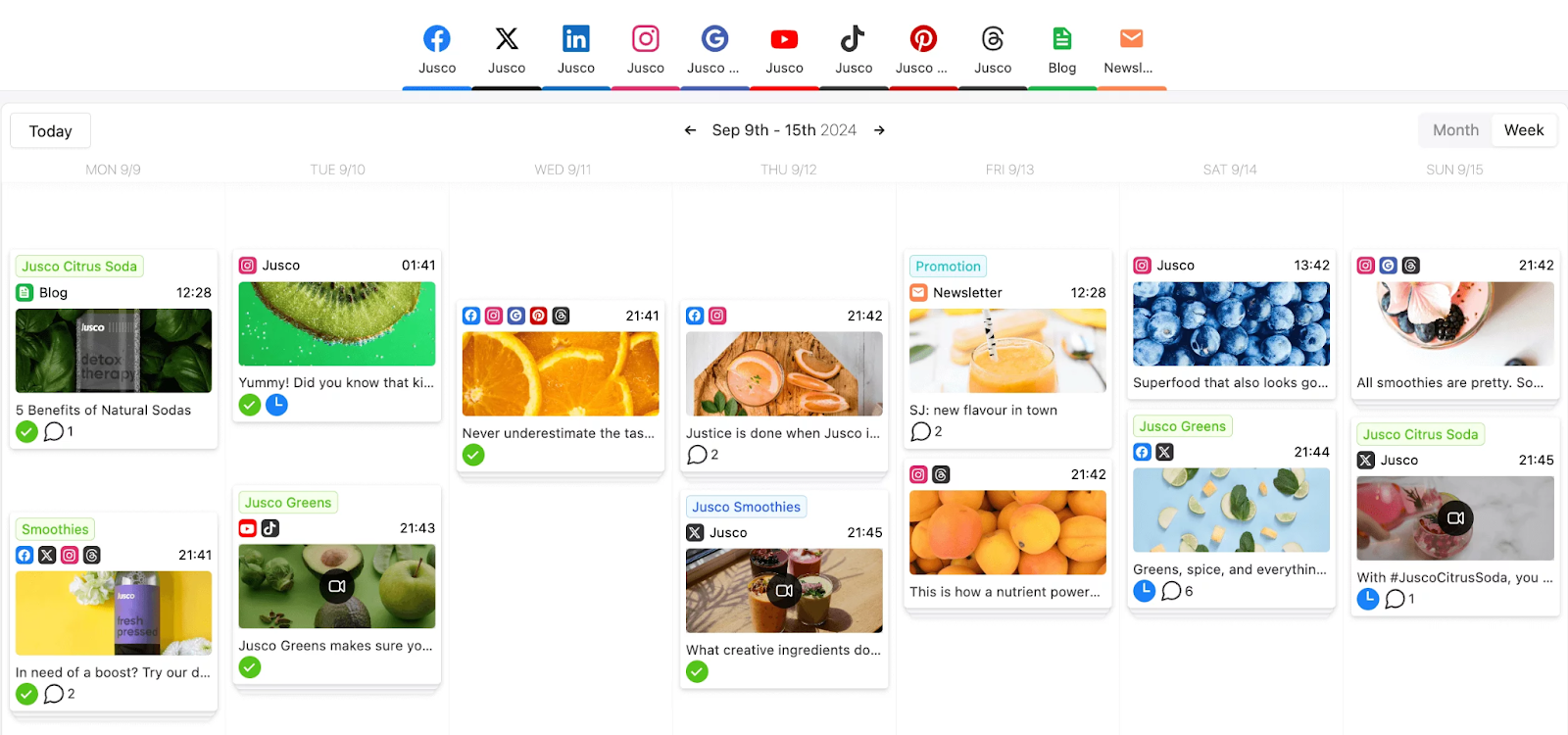
Planable is built to streamline content creation, collaboration, and approval workflows. It’s perfect for teams that prioritize real-time collaboration and feedback.
Key features:
- Unified content workspace: Create and organize posts for multiple platforms in one dashboard.
- Real-time collaboration: Use live comments and approvals to ensure every team member is on the same page.
- Visual calendar: Drag and drop posts to adjust schedules and identify gaps in your strategy.
- Version history: Track changes and revert to previous versions if needed.
- Platform-specific customization: Tailor content for each social platform with targeted tweaks.
3. Sprout Social
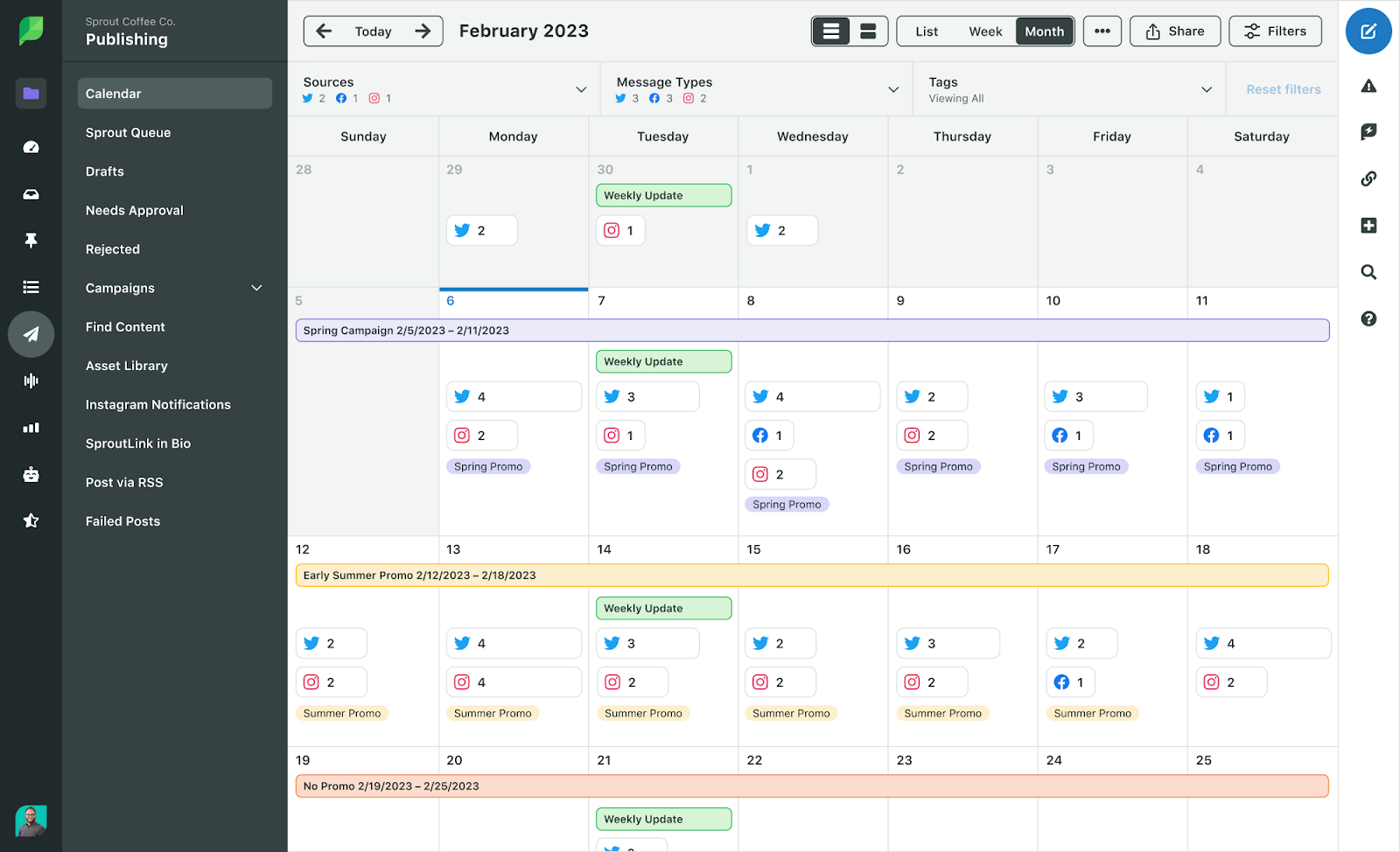
Sprout Social is a powerful tool that helps businesses manage their entire social media strategy, from planning to reporting.
Key features:
- Optimal send times: Use the ViralPost® feature to schedule posts when your audience is most active.
- Centralized calendar: View posts across all platforms in one calendar, making it easier to manage campaigns.
- Team governance: Assign role-based permissions to ensure accountability and protect brand integrity.
- Asset library: Store pre-approved content assets for easy reuse.
- Detailed analytics: Generate reports to evaluate campaign performance and identify areas for improvement.
4. Loomly
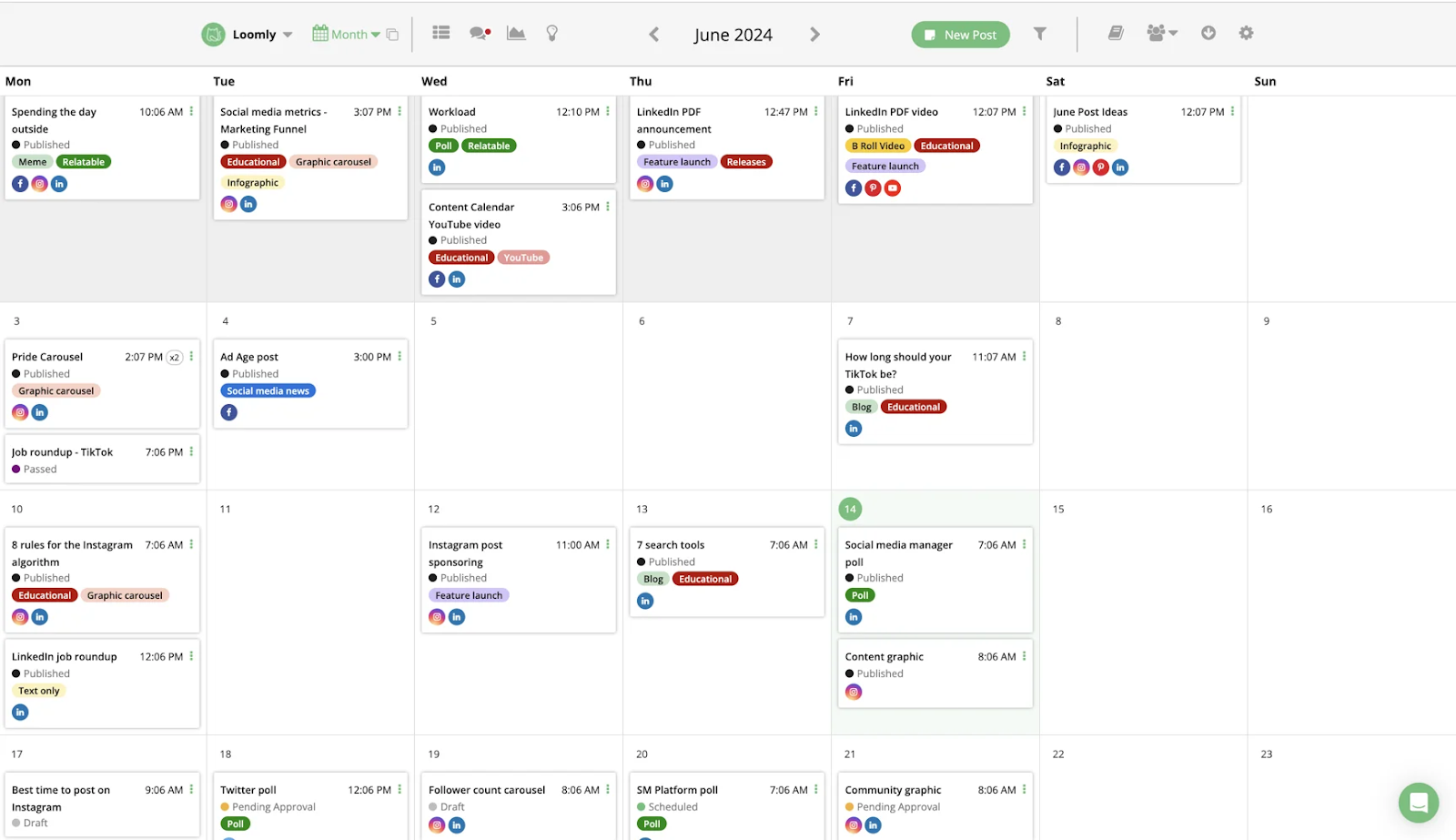
Loomly offers a user-friendly interface designed for content planning, scheduling, and collaboration. Its added focus on inspiration helps teams overcome creative blocks.
Key features:
- Content suggestions: Discover post ideas based on trends, hashtags, and holidays.
- Integrated media library: Store and manage visual assets from sources like Unsplash and Canva.
- Post templates: Save recurring post formats to streamline content creation.
- Drag-and-drop calendar: Easily reschedule posts and fill in gaps.
- Approval workflows: Collaborate with team members and clients to finalize posts before publishing.
5. Google Calendar
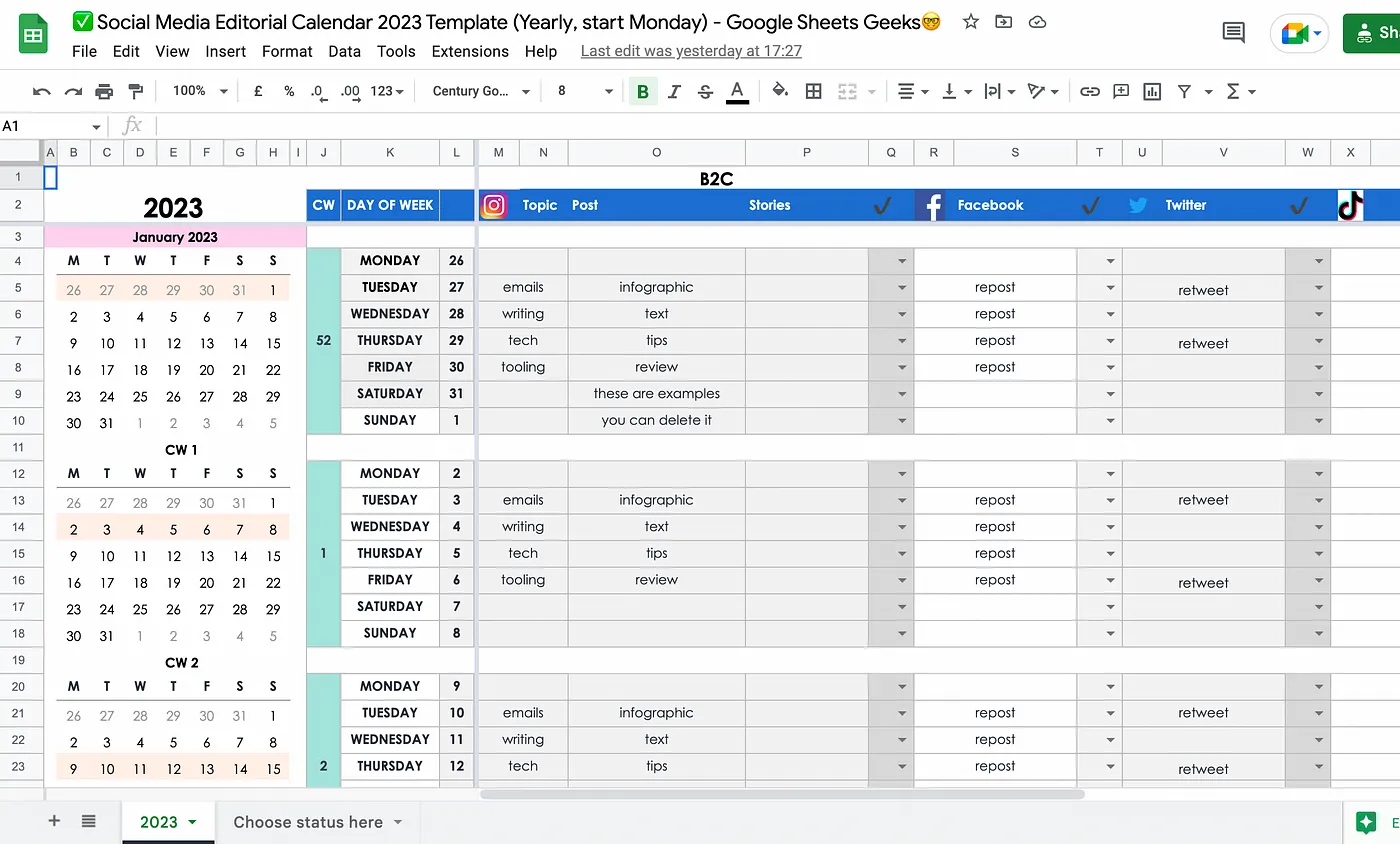
For businesses on a budget, Google Calendar provides a simple and effective way to organize social media schedules.
Key features:
- Custom calendars: Create dedicated calendars for each campaign or platform.
- Event details: Add captions, hashtags, and media links to events for a clear overview of post details.
- Collaborative sharing: Share calendars with team members for real-time updates and transparency.
- Notifications: Set reminders to ensure posts go live on time.
Conclusion
A structured social media calendar helps you stay consistent, save time, and align your content with your marketing goals. By leveraging audits, effective tools, and best practices, you can create impactful campaigns and boost audience engagement.
Thoughtful planning of your social media content ensures clarity and focus in your efforts. A well-maintained calendar not only organizes your posts but also enables adaptation and growth based on what resonates most with your audience.
FAQs
What’s the difference between a social media calendar and a social media posting schedule?
Your social media calendar is the full plan that includes campaigns, content pillars, and assets. Your social media posting schedule is the timing layer: the timing and frequency of your content on each platform.
How far in advance should I plan my social media content calendar?
Most teams plan 2–4 weeks ahead, with high-level campaigns mapped out 1–3 months in advance. Keep some open slots for timely or reactive content.
How often should a small business post on social media?
There’s no single right answer, but a common starting point is:
- Instagram: 3–4 posts per week + regular Stories
- Facebook: 3–5 posts per week
- LinkedIn: 2–3 posts per week
- TikTok: 3–5 posts per week
Adjust based on results, bandwidth, and audience feedback.
Do I really need a social media content calendar if I only use one platform?
Yes. Even on a single platform, a calendar helps you stay consistent, test different content types, and see how posts connect to your business goals.
How can ContentStudio help with my social media calendar?
ContentStudio lets you plan, schedule, approve, and analyze content for multiple channels from one visual calendar. You can see your full social media posting calendar, collaborate with your team, automate evergreen posts, and review performance without juggling separate tools.
Recommended for you
Social media management costs in 2026: A pricing guide for businesses

How social media AI image generation saves time & inspires creativity






Powerful social media management software
7-day free trial - No credit card required.