Bulk-generate & schedule posts in seconds with Smart Scheduling. Try now!
How to use Bluesky in 2026: Tips, strategies, and key features
 Published by Saif Ali
Social media is evolving continuously, and Bluesky is a leading name that promises a more open, user-controlled internet. Whether you’re tired of algorithm-driven feeds, concerned about platform ownership, or simply curious about the next generation of social networking, this comprehensive guide will show you how to use Bluesky effectively.
From setting up your account to using advanced features for business growth, you’ll discover everything needed to thrive on this innovative platform.
By the end, you’ll understand why millions are making the switch and how to use Bluesky to improve your social media presence in 2026.
The easiest way to manage and grow your social channels.
Try ContentStudio for FREE
What is Bluesky?
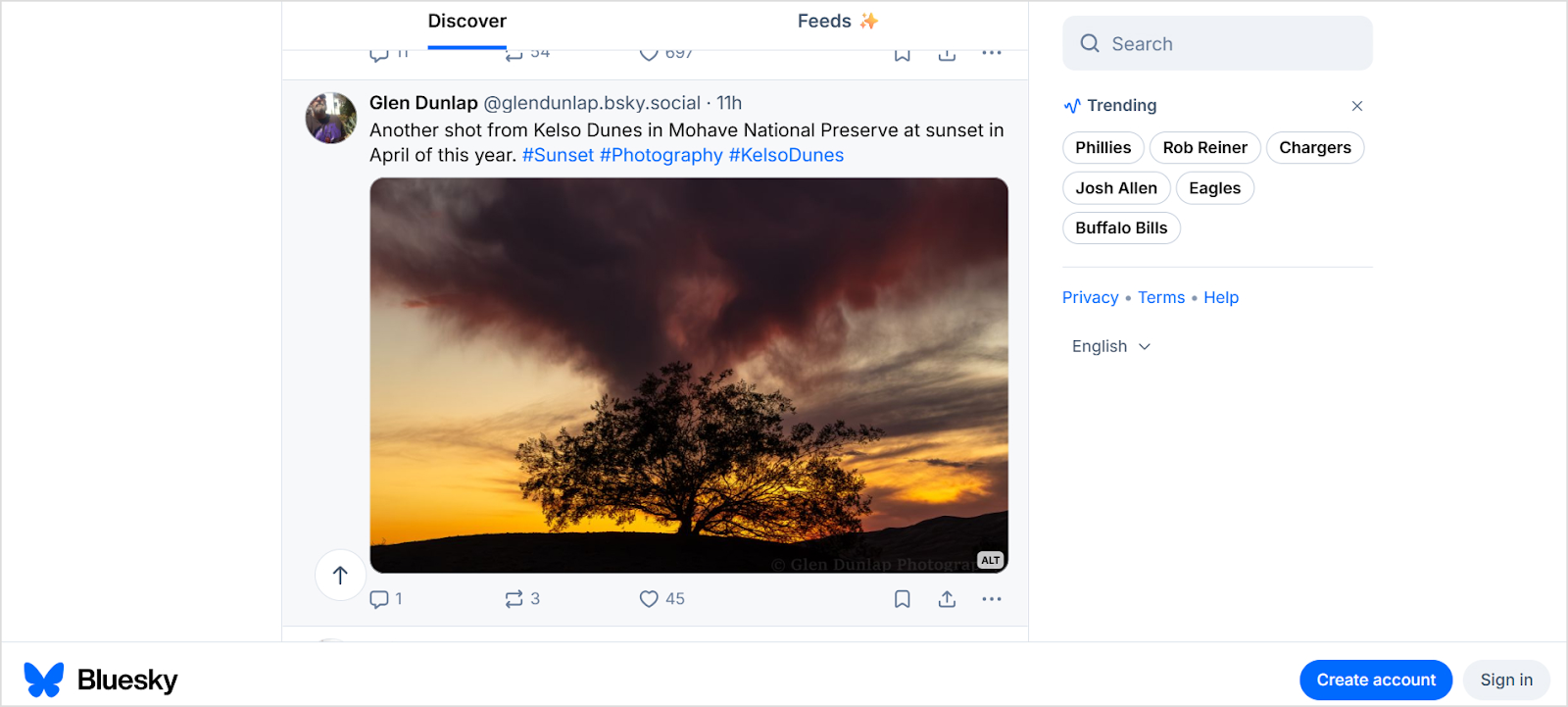
Bluesky is a next-generation microblogging platform that reimagines how social media should work. Like X (formerly Twitter), you can share short posts, images, videos, and links while engaging in real-time conversations.
However, Bluesky’s revolutionary difference is in its decentralized architecture built on the AT Protocol, meaning no single company controls your data or experience.
The platform’s journey began in 2019 when Jack Dorsey, then CEO of Twitter, initiated Bluesky as an internal project. Jay Graber was appointed to lead the initiative in 2021, steering the development of this ambitious platform.
After Twitter ended its support in late 2022, Bluesky emerged as an independent Public Benefit Corporation, owned by Jay Graber and her team, with a clear mission: creating technologies for open and decentralized public conversation.
Bluesky vs. Threads and X: What makes it unique?
While exploring Twitter alternatives, you’ll quickly notice that Bluesky isn’t just another clone, but a fundamental reimagining of social media infrastructure. Here’s what sets it apart from X and Threads.
Decentralization
The AT Protocol is Bluesky’s secret weapon. This open-source, decentralized framework means anyone can inspect the code, build compatible apps, or even create entirely new platforms that interact with Bluesky. Unlike X, which operates as a closed ecosystem controlled by a single entity, Bluesky distributes control across the network.
Account portability
Perhaps the most revolutionary feature is account portability. On traditional social media platforms, leaving means abandoning everything: followers, posts, engagement history, and your established identity.
Bluesky changes this entirely. Because it’s built on decentralized principles, you can migrate to any other AT Protocol-compatible platform and take your username, follower network, and complete post history with you. Your social media presence truly belongs to you, not the platform.
Customization and user control
Bluesky offers unprecedented control over your experience:
- Custom feeds: Subscribe to community-created algorithmic feeds on any topic imaginable, or build your own using specific criteria, hashtags, or user lists
- Flexible moderation: Communities can establish their own moderation standards without imposing them platform-wide, giving you granular control over blocked content, accounts, and hashtags
- Custom domain handles: Replace the default @user.bsky.social with your own domain (@user.yourdomain.com), effectively verifying your identity and building credibility without paying for a blue checkmark
| Feature | Bluesky | X (Twitter) | Threads |
|---|---|---|---|
| Ownership model | Decentralized | Centralized | Centralized |
| Character limit | 300 | 280 (4,000 with X Pro) | 500 |
| Account portability | Yes | No | No |
| Custom feeds | Unlimited | Limited presets | Algorithm-driven |
| Verification | Custom domain (free) | X Pro subscription | Meta verified |
| Edit posts | No | Yes (X Pro only) | Yes (5 min window) |
| Advertisements | None | Yes | Yes |
| Scheduling posts | Via third-party tools | Yes (X Pro) | Via Creator Studio |
The verification difference
X requires a paid X Pro subscription for the blue verification badge. Bluesky takes a different approach: instead of badges, you can link a custom domain to your profile handle, providing authentic verification without subscription fees. This approach is more transparent and accessible, especially for businesses and professionals who already own their domain names.

Who are Bluesky users?
As of January 2026, Bluesky has over 40.2 million users. Bluesky’s user base has grown exponentially since its public launch, attracting a diverse community of early adopters, tech enthusiasts, journalists, academics, artists, and everyday social media users seeking an alternative to traditional platforms.
The platform particularly appeals to:
- Privacy-conscious individuals who value data ownership and transparency
- Tech professionals and developers interested in open-source technology
- Content creators seeking ad-free environments and genuine engagement
- Journalists and researchers who appreciate decentralized information sharing
- Businesses looking for authentic community building without algorithmic interference
- Former Twitter users who are disappointed with recent platform changes
In 2026, Bluesky is expected to grow to become one of the fastest-growing social platforms, with millions of active users worldwide creating vibrant communities around every imaginable interest.
How to use Bluesky?
Getting started on Bluesky is quick and simple. Follow this comprehensive walkthrough to set up your account and start engaging with the community.
1. Set up your Bluesky account
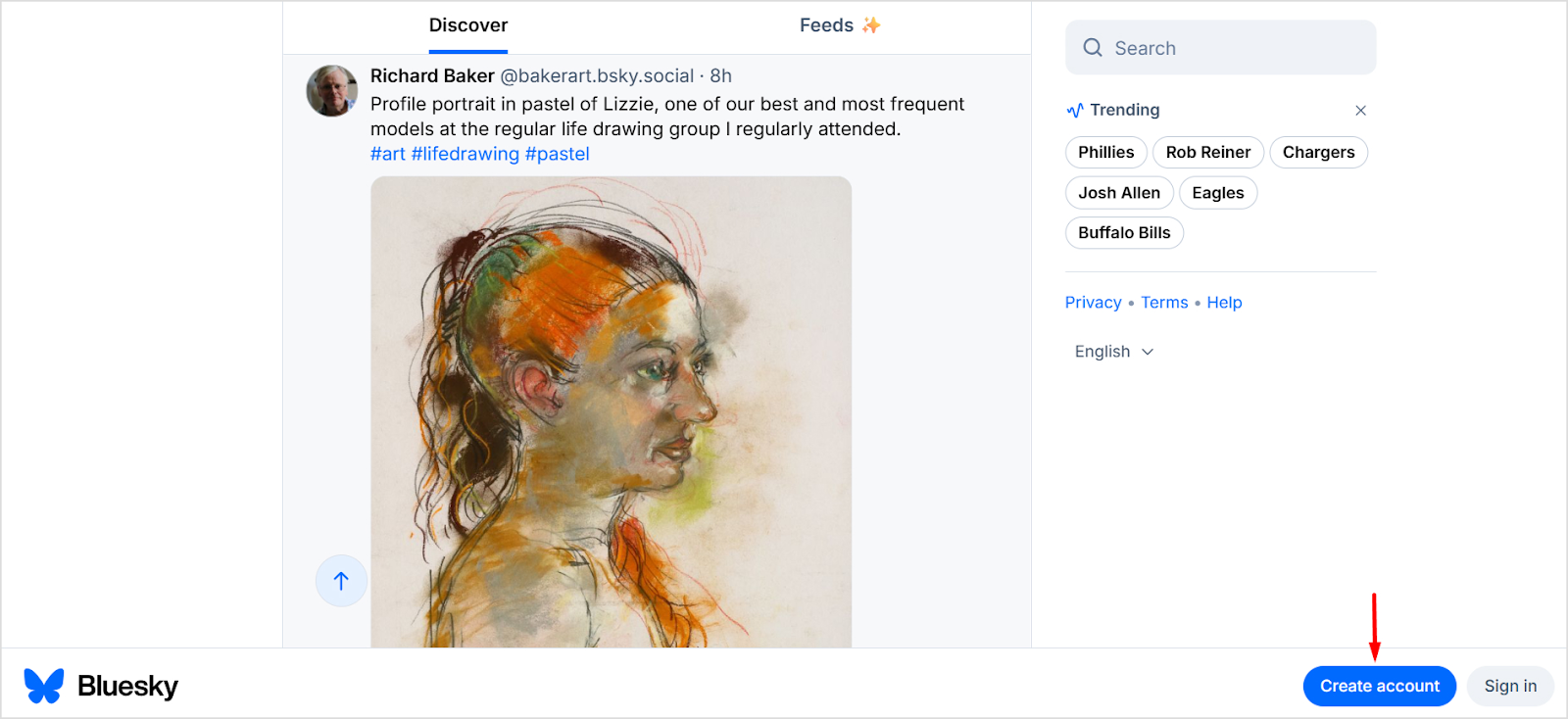
Begin by visiting bsky.app on desktop or downloading the mobile app from the Apple App Store (iOS) or Google Play (Android). Click “Create account” and provide your name, desired handle, email address, and password. Complete the captcha verification, and you’re in.
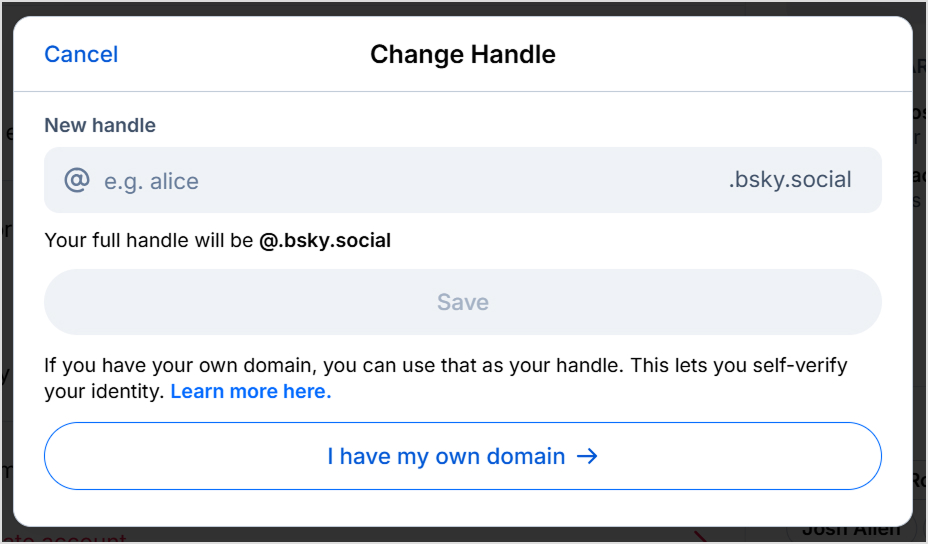
Your handle is your identity on Bluesky. Initially, it will be @username.bsky.social, but you can customize it later with your own domain for verification and credibility.
Setting up a custom domain
Custom domains provide self-verification and establish authenticity. You can easily set it up by opening settings and configuring your Handle under the Account settings.
2. Profile customization
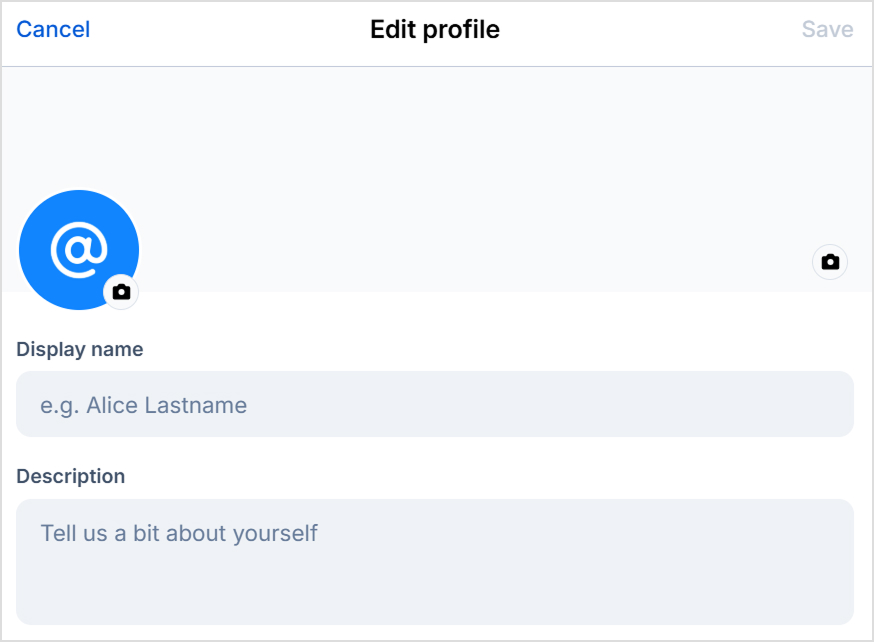
Create an engaging Bluesky social media profile and reach more people. This process includes the following steps:
- Upload a clear profile picture that represents you or your brand
- Add a banner image that reflects your personality or business
- Write a compelling bio (up to 256 characters) that tells visitors who you are
- Include relevant links to your website or other social profiles
Pro tip:
Use the same profile picture across all social platforms to make yourself instantly recognizable when users discover you on Bluesky.
3. Understanding the Bluesky interface
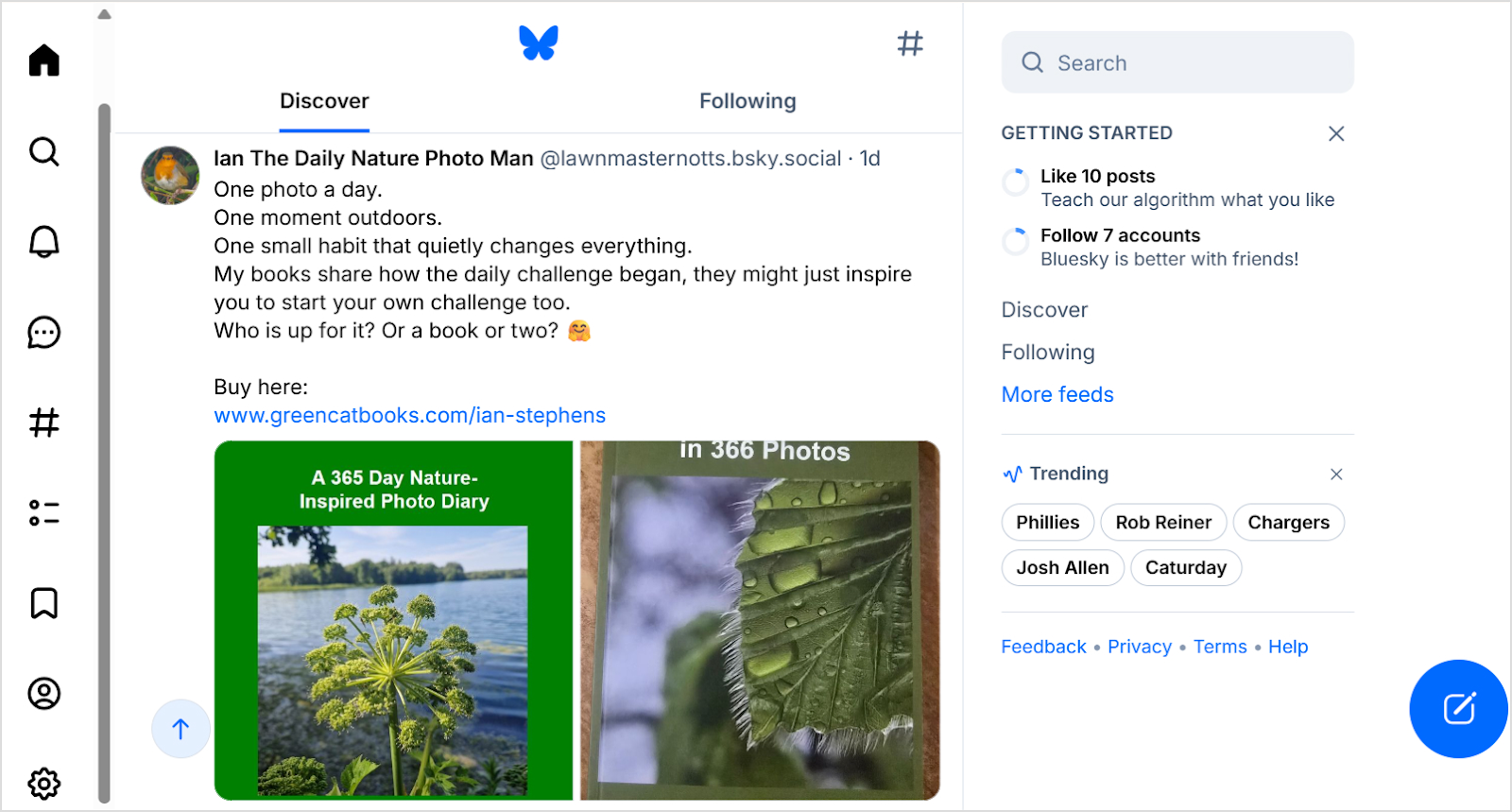
Bluesky’s interface is clean and intuitive, but understanding its components will help you throughout this process of learning how to use Bluesky efficiently.
- Home feed: Your primary timeline showing posts from accounts you follow and your selected custom feeds
- Discover tab: An algorithmic feed suggesting trending content and accounts based on your interests and network
- Search function: Find specific users, hashtags, or content using keywords
- Notifications: Track likes, reposts, replies, follows, and mentions
- Messages: Private direct messaging with customizable privacy settings
- Settings: Configure your account, privacy, moderation preferences, and more
4. Create posts on Bluesky
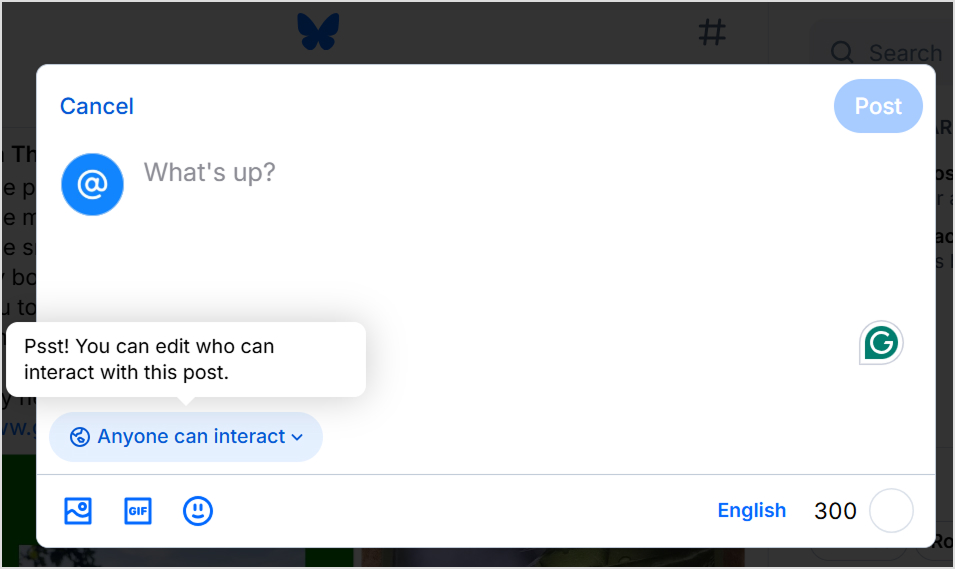
Posting on Bluesky is similar to other microblogging platforms, with some unique considerations:
- Character limit: Posts are limited to 300 characters, encouraging concise communication
- Media attachments: Add up to four images or one video per post
- Thread creation: Build longer narratives by connecting multiple posts in a thread
- Link sharing: URLs automatically generate preview cards with images and descriptions
- Alt text: Add descriptions to images for accessibility
5. Follow people and grow your network
Once you have learned the basics of how to use Bluesky, you should focus on building your network on Bluesky through a strategic approach:
- Find accounts to follow
- Search for specific people, organizations, or topics of interest
- Use browser extensions like SkyBridge to find your Twitter connections on Bluesky
- Engage with posts in your feed and follow users whose content resonates
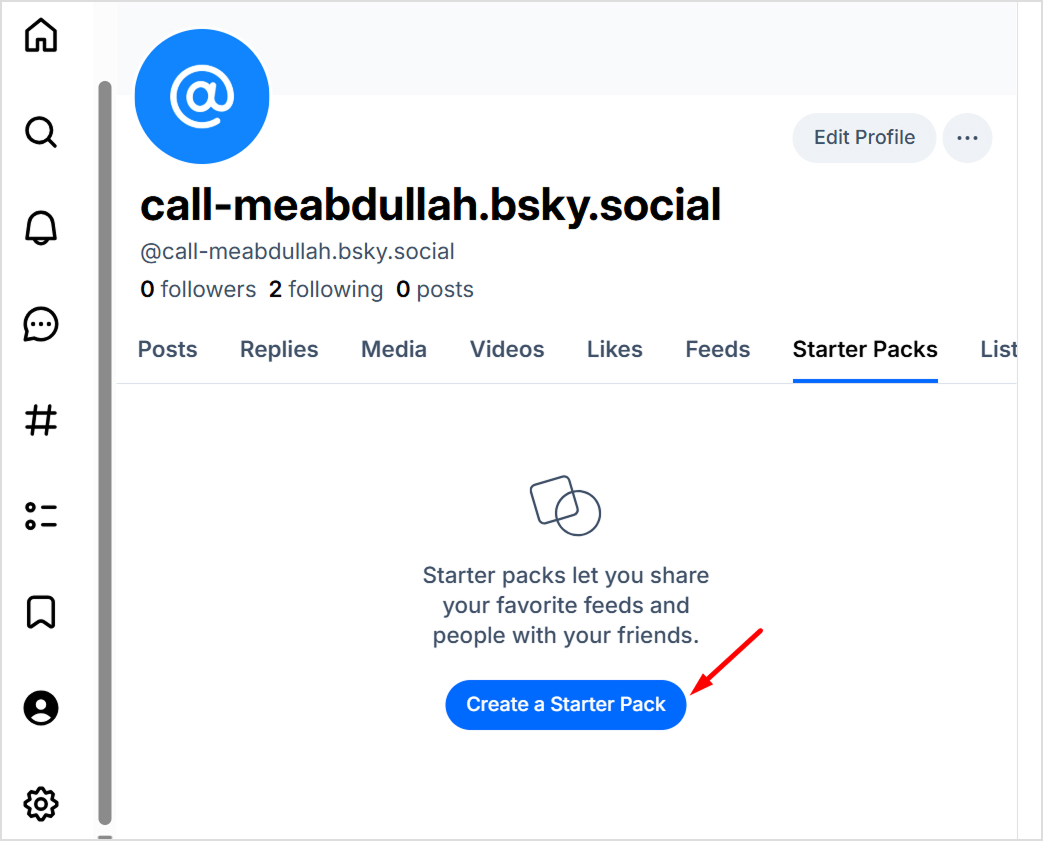
- Explore Starter Packs, which are curated collections of accounts around specific themes
- Improve your visibility
- Post consistently to stay visible in your followers’ feeds
- Engage authentically with others’ content through thoughtful replies
- Share valuable, original content that sparks conversation
- Use the Discover feed to find trending accounts and popular content
6. Using Bluesky’s advanced features
Once comfortable with the basics, explore these powerful features that differentiate Bluesky from other platforms:
Custom feeds
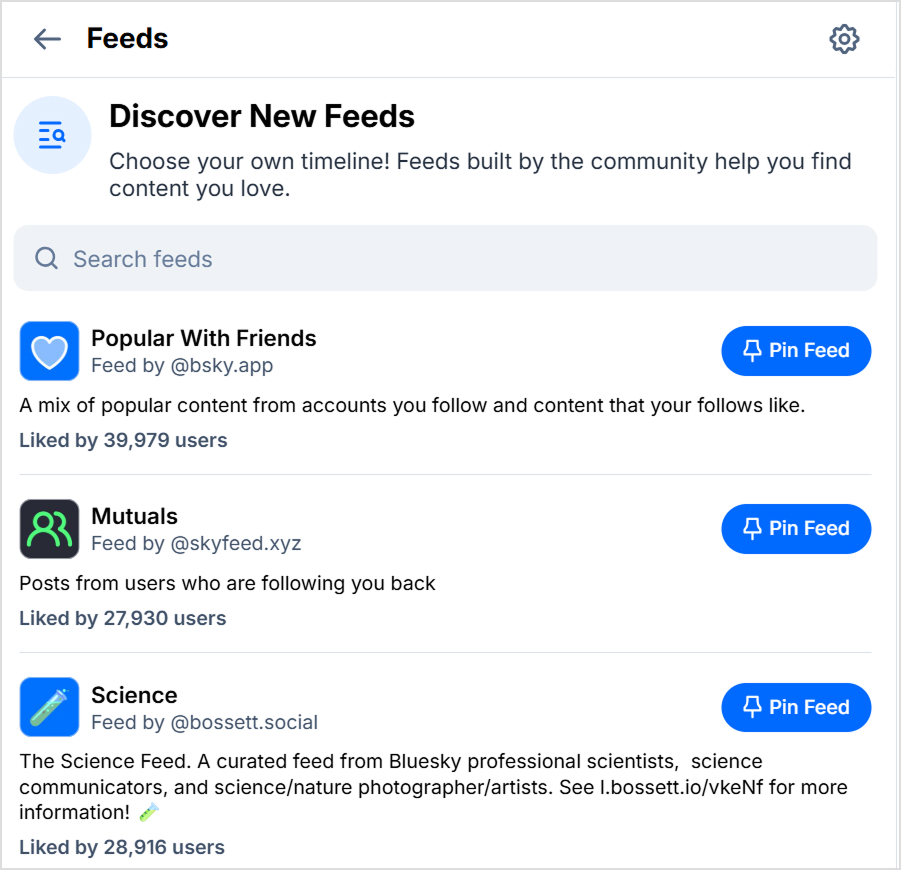
Access the feeds menu (≡ icon or # symbol) to explore community-created algorithms. You can:
- Subscribe to feeds focused on specific topics (art, science, sports, etc.)
- Pin your favorite feeds to your home screen for quick access
- Set a custom feed as your default, replacing the standard Following feed
- Create your own custom feed using Bluesky’s Feed Generator Starter Kit
Content moderation tools
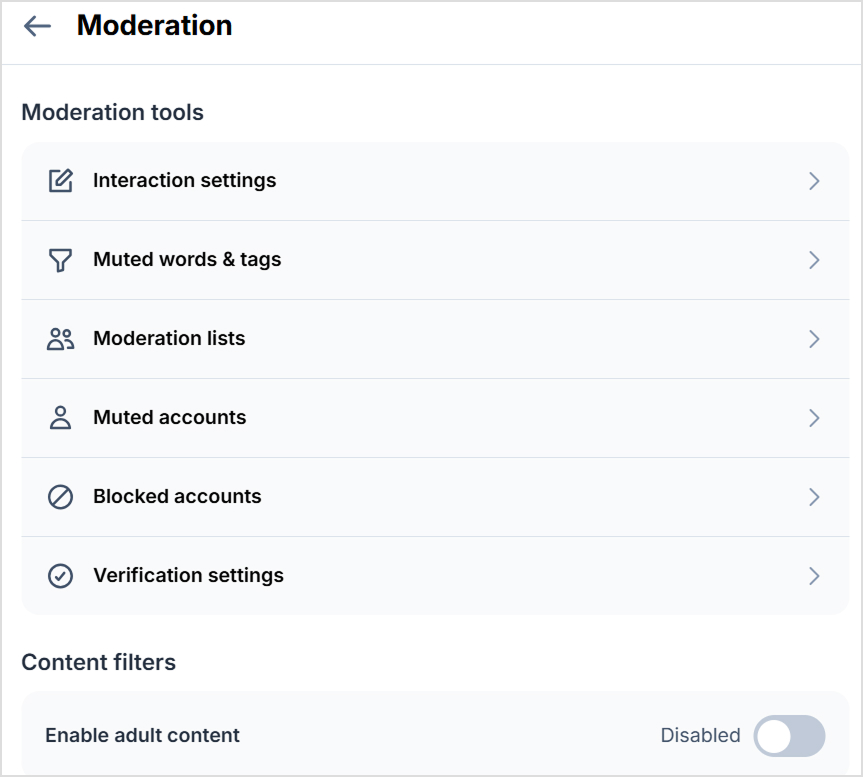
Bluesky offers granular control over what you see:
- Set language preferences to filter content by language
- Mute specific words, phrases, or accounts
- Block users or use Starter Packs as block lists
- Customize whether replies, reposts, or quote posts appear in your feed
- Sort thread replies by newest, oldest, or by prioritizing people you follow
Direct message settings
Control who can contact you via DM:
- Everyone: Allow any Bluesky user to message you
- Users I follow: Limit DMs to mutual connections
- No one: Disable DMs completely
Self-hosting (PDS)
For advanced users concerned about data control, learning how to use Bluesky is beneficial because it helps you self-host your Personal Data Server (PDS). This means running your own server that connects to the broader Bluesky network, giving you complete control over your data while still participating in the community.
How does Bluesky’s algorithm work?
Unlike traditional social platforms with opaque, monolithic algorithms, Bluesky operates as a “marketplace of algorithms” where you choose how content is delivered to you.
The AT Protocol foundation
Bluesky’s open-source AT Protocol separates content from centralized servers, enabling multiple competing algorithms to coexist. This architecture means you’re not stuck with one company’s idea of what you should see.
Default feed options
New users start with two primary feeds:
- Following feed: A simple, reverse-chronological timeline showing posts from accounts you follow without any algorithmic manipulation
- Discover feed: A curated algorithmic experience suggesting content based on your interests, interactions (likes and follows), and trending topics in your network
Custom feed algorithms
This is where Bluesky truly shines. Third-party developers and users create custom feeds based on specific criteria:
- Topic-based feeds (science, photography, humor, news)
- Language-specific feeds
- Feeds highlighting quiet posters (less active followers)
- Community-moderated feeds with custom rules
- Feeds based on user lists or hashtags
Also read: How to plan your Instagram feed?
Transparency and control
Because the AT Protocol is open-source, developers can inspect and understand exactly how content curation works. You can pin your preferred feeds, set one as your default, or even completely replace the standard Following feed.
This transparency and flexibility represent a fundamental shift in how social media can operate by putting algorithmic power back in users’ hands rather than concentrating it in corporate boardrooms.
Related: How to manage social media privacy settings?
Tips to grow faster on Bluesky
Growing your presence on Bluesky requires authenticity, consistency, and strategic engagement. Here are proven tactics to accelerate your growth:
Content strategy essentials
- Post consistently: Regular posting (1-3 times daily) keeps you visible in followers’ feeds without overwhelming them
- Focus on value: Share insights, helpful information, or entertaining content rather than pure self-promotion
- Embrace conversation: Bluesky rewards genuine engagement. So, reply thoughtfully to others’ posts and ask questions that spark discussion
- Use threads strategically: Break longer thoughts into threaded posts to provide depth while maintaining readability
- Rely on visual content: Posts with images typically receive higher engagement than text-only updates
Community engagement tactics
- Participate in custom feeds: Engage actively in topic-specific feeds related to your niche to reach interested audiences
- Create Starter Packs: Curate collections of accounts in your area of expertise, so people will discover you through these packs
- Respond promptly: Reply to comments and mentions quickly to build relationships and encourage further engagement
- Cross-promote thoughtfully: Share your Bluesky handle on other platforms, but focus on what makes your Bluesky content unique
Bluesky for business
Businesses are discovering Bluesky’s potential for authentic community building and brand presence. Here’s how to use the platform professionally:
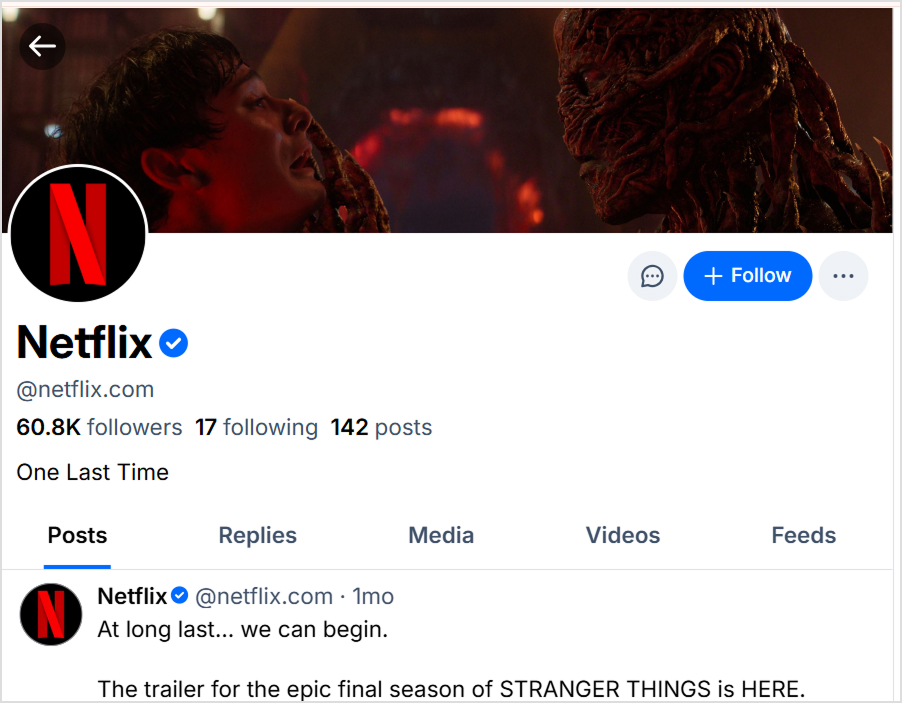
- Verify with your domain: Use your business domain as your handle (@company.com) for instant credibility
- Build genuine relationships: Without ads cluttering the platform, success comes from authentic engagement and valuable content
- Create industry-specific feeds: Position yourself as a thought leader by curating feeds around your industry or expertise
- Monitor conversations: Use search and custom feeds to track mentions of your brand, products, or industry trends
Hashtag strategy
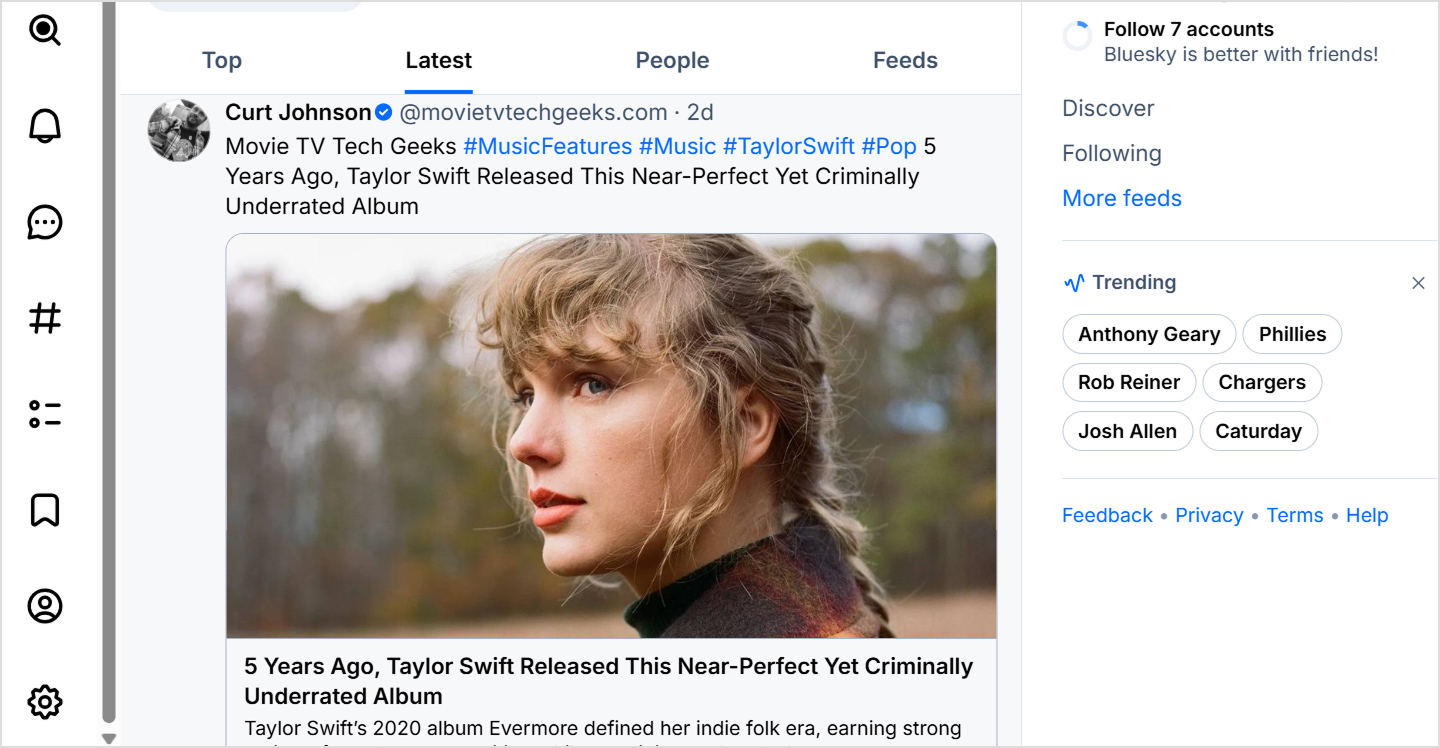
While Bluesky supports hashtags, they work differently than on other platforms:
- Use 2-3 relevant hashtags per post, maximum.
- Focus on niche, specific hashtags rather than generic ones
- Create custom feeds around popular hashtags in your industry
- Remember that custom feeds often provide better discovery than hashtags alone
Try out: Bluesky hashtag generator
Bonus tip: Streamline your Bluesky management with ContentStudio
Managing multiple social platforms becomes easier with a comprehensive social media management tool like ContentStudio. This platform enables you to schedule Bluesky posts in advance, manage multiple accounts, analyze engagement metrics, and coordinate cross-platform campaigns, all from a single dashboard.
While Bluesky doesn’t natively support post scheduling, third-party tools bridge this gap, helping businesses maintain a consistent presence without being chained to real-time posting.
Common mistakes to avoid
Learning from others’ missteps can accelerate your Bluesky success. Avoid these frequent pitfalls:
- Treating Bluesky like X or other platforms. Bluesky users value authenticity and substantive conversation over viral tactics and engagement bait.
- Ignoring custom feeds and Starter Packs. These are Bluesky’s killer features. Not exploring custom feeds means missing out on targeted communities and discovery opportunities.
- An incomplete profile setup signals that you’re not seriously invested in the platform.
- Constantly marketing products or services without providing value will quickly alienate your audience. Follow the 80/20 rule: 80% valuable content, 20% promotional.
- Not engaging with the community is a recipe for obscurity. Reply to comments, engage with others’ content, and participate in conversations to build genuine connections.
- Expecting an immediate result. Focus on consistent, quality engagement rather than chasing quick follower counts.
Final thoughts
Bluesky represents more than just another social media platform. It’s a fundamental reimagining of how social networking should work.
By prioritizing user control, transparency, and decentralization, it offers a compelling alternative to the algorithm-dominated, ad-saturated experiences that have become the norm.
Whether you’re a casual user seeking meaningful conversations, a content creator building an authentic community, or a business looking to establish genuine connections with customers, Bluesky provides the tools and framework for success.
The best part is that ContentStudio’s Bluesky scheduler can help you achieve your goal of establishing an engaging presence on the platform through consistent posting.
Frequently asked questions
How to engage on Bluesky?
Engagement on Bluesky thrives on authenticity and meaningful interaction. Start by replying thoughtfully to posts that interest you, asking genuine questions, and adding value to conversations. Like and repost content you appreciate, but focus more on creating dialogue through replies.
How is Bluesky different from Instagram?
Bluesky and Instagram serve fundamentally different purposes. Instagram is a visual-first platform owned by Meta, focused on photo and video sharing with algorithmic feeds and extensive advertising.
Bluesky is a text-based microblogging platform built on decentralized technology, emphasizing short-form posts and conversations. Instagram offers features like Stories, Reels, and shopping integrations, while Bluesky provides custom feeds, account portability, and user-controlled algorithms.
Is Bluesky app free to use?
Yes, Bluesky is completely free to use. Unlike platforms like X that require paid subscriptions for verification or extended features, Bluesky offers all its functionality without any cost. There are no subscription tiers, no paywalled features, and no advertisements.
How to use Bluesky?
Using Bluesky effectively involves several key steps: First, create your account at bsky.app or via the mobile app and complete your profile with a clear photo, compelling bio, and ideally a custom domain handle.
Next, follow accounts that interest you using the Discover feed, search function, or Starter Packs. Begin posting regularly. Share insights, ask questions, and engage in conversations within the 300-character limit.
How to use hashtags on Bluesky?
Hashtags on Bluesky work similarly to other platforms but are less central to content discovery than custom feeds. To use them effectively, add hashtags by typing # followed by your keyword (e.g., #photography or #tech). Use 2-3 relevant, specific hashtags per post rather than generic ones or hashtag spam.
How to use Bluesky for business?
Businesses can use Bluesky’s unique features for authentic brand building. Start by setting up your business account with your company domain as your handle (@company.com) for instant verification and credibility.
Develop a content strategy focused on providing value by sharing industry insights, answering customer questions, and participating in relevant conversations rather than pushing sales messages.
Recommended for you










Powerful social media management software
14-day free trial - No credit card required.