Bulk-generate & schedule posts in seconds with Smart Scheduling. Try now!
Turn YouTube videos from Airtable into social posts via Gemini & ContentStudio
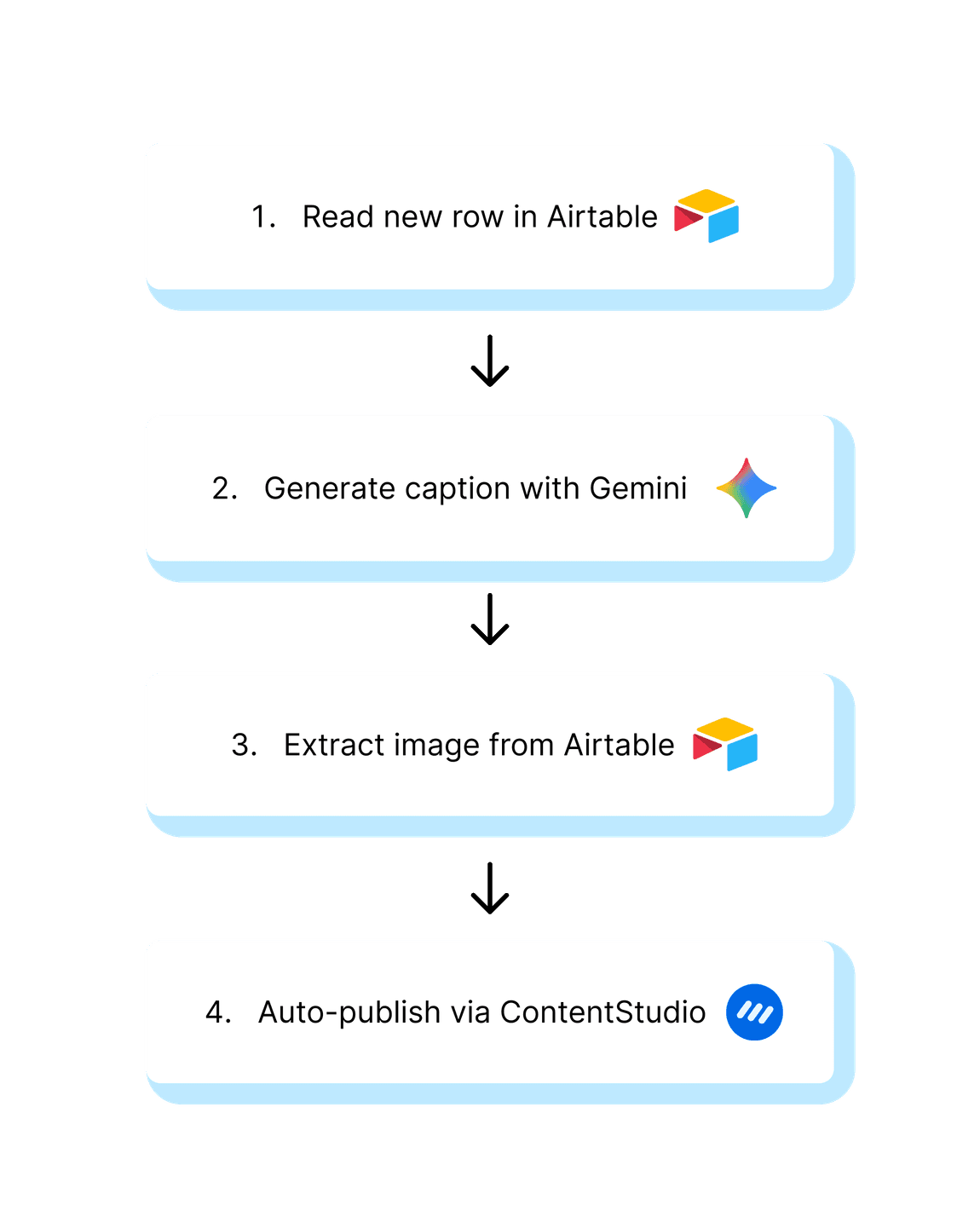
Turn YouTube videos stored in Airtable into ready-to-publish social media posts. Generate platform-ready captions from video transcripts using Gemini, attach media assets, and send everything to ContentStudio to schedule.
Turn YouTube content into consistent social momentum
Keep your social feed lively and engaging by turning videos into scroll-stopping posts that grab attention and drive action, all without extra effort.
No more blank screens
Turn YouTube content in Airtable into multiple social posts automatically. Save hours by letting AI handle captions, formatting, and scheduling.
Stay consistent, effortlessly
Schedule and publish posts via ContentStudio, keeping your channels active without scrambling for content at the last minute.
Maximize Engagement with AI
Use Gemini to create platform-ready captions with hashtags, emojis, and CTAs, ensuring your posts are optimized for clicks and engagement. Pull video URL, transcript, and media asset from Airtable to start the workflow.

Media library
Store, organize, and share your best assets in personal storage

Mobile apps
Manage social on the go using ContentStudio's mobile apps

AI hashtags
Boost reach with AI-powered hashtags

Content categories
Use categories for smarter scheduling and organization

First comment
Reserve the first comment for yourself to add extra details on FB, IG, LI, YT

Media integrations
Source media from your Google drive, Dropbox, Pixabay, and others to create engaging posts

AI captions
AI generates captivating captions, complete with emojis and strategic hashtags

Best time to post
Follow our recommendation for the best time to post and get maximum content engagement
Get started in 3 simple steps
Getting started is incredibly simple: download the ready-to-use JSON file, import it into n8n, connect your accounts, and launch your automated workflow.
Pull transcript and media assets from Airtable.
Use Gemini to generate captions, then format text with hashtags, emojis, and CTA.
Merge captions with media and send them to ContentStudio for scheduling.
Explore more templates


Automate multi-platform social posting from Google Sheets via ContentStudio


Turn trending X hashtags into social content via Claude & ContentStudio


Auto-post Product Hunt launch day updates to your social profiles with ContentStudio


Monitor competitors and publish strategic counter-posts - ChatGPT & ContentStudio
Convert customer reviews into social proof posts with Google Sheets & ContentStudio

Auto-post RSS updates to your social profiles via ContentStudio
Auto-generate and schedule social posts via ChatGPT & ContentStudio







Powerful social media management software
7-day free trial - No credit card required.