Bulk-generate & schedule posts in seconds with Smart Scheduling. Try now!
The ultimate Instagram ads guide: Types, costs, and strategy for 2026
 Published by Nawal Mansoor
With over 3 billion monthly active users and one of the highest engagement rates among social platforms, Instagram has become a non-negotiable advertising channel for businesses of all sizes. But the platform’s advertising ecosystem has changed a lot, and what worked a few years ago may not cut it today.
This Instagram ads guide walks you through everything from understanding ad formats and costs to setting up your first campaign in Meta Ads Manager. Whether you’re a small business owner testing the waters or a marketing professional looking to sharpen your Instagram strategy, you’ll find data-driven insights to get better results from your ad spend.
Instagram Marketing
Schedule your Instagram posts, Reels, and Stories, and get recommended best time to publish for maximum engagement.
Get Started for FREE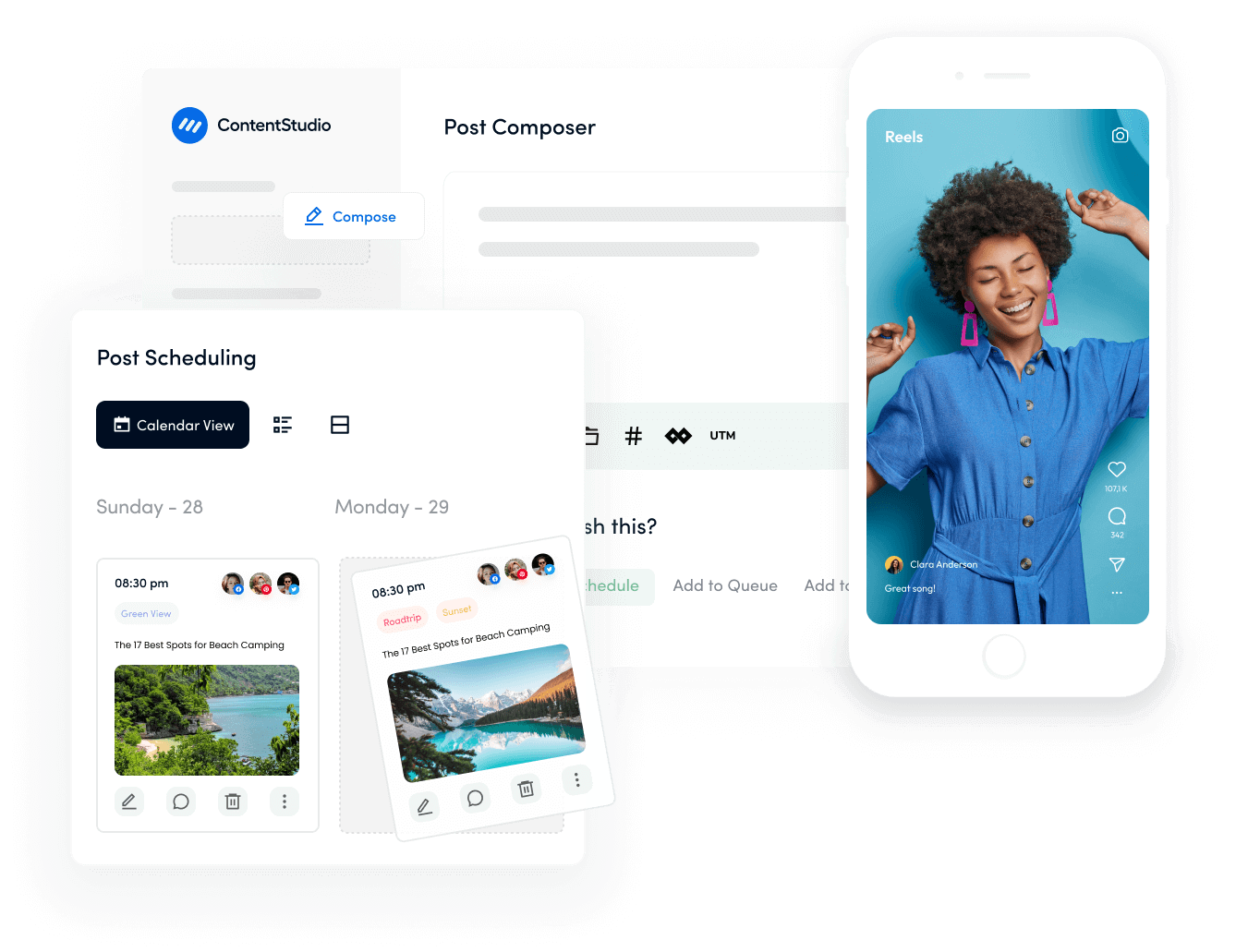
What are Instagram ads?
Instagram ads are paid promotional content that businesses create to reach targeted audiences beyond their existing followers.
Unlike organic posts that only appear to people who already follow your account, ads can be served to any Instagram user who matches your targeting criteria. Understanding this distinction is fundamental to any Instagram ads guide worth reading.
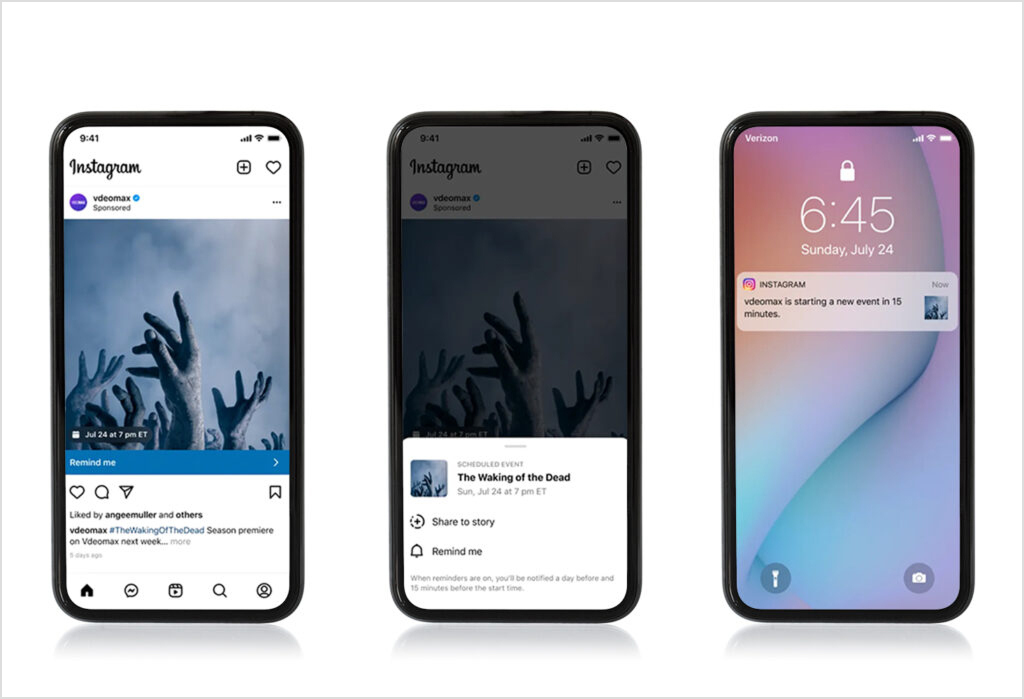
These ads appear throughout the Instagram experience, showing up in users’ feeds, Stories, the Explore page, and Reels. What makes them particularly effective is how naturally they blend with organic marketing.
A well-designed Instagram ad looks almost identical to a regular post, with only a subtle “Sponsored” label and a call-to-action button distinguishing it from non-promotional content.
Instagram advertising runs through Meta’s advertising infrastructure, which means you get access to the same powerful targeting capabilities used for Facebook ads. You can define audiences based on demographics, interests, behaviors, and even create lookalike audiences modeled after your existing customers.
So how does Instagram advertising work in practice? It comes down to combining compelling creative with precise audience targeting and strategic bidding.
Types of Instagram ads
Instagram offers several ad formats. Each of these types of Instagram ads are designed to work within specific placements and achieve different objectives.
Understanding how each type functions helps you choose the right format for your campaign goals. Let’s break down the main types of Instagram ads available to advertisers today.
Photo ads
Photo ads are the most straightforward format, displaying a single image in users’ feeds or Stories. They work well for showcasing products, promoting offers, or building brand awareness with striking visuals.
The format supports:
- Square (1:1),
- Landscape (1.91:1
- Vertical (4:5)
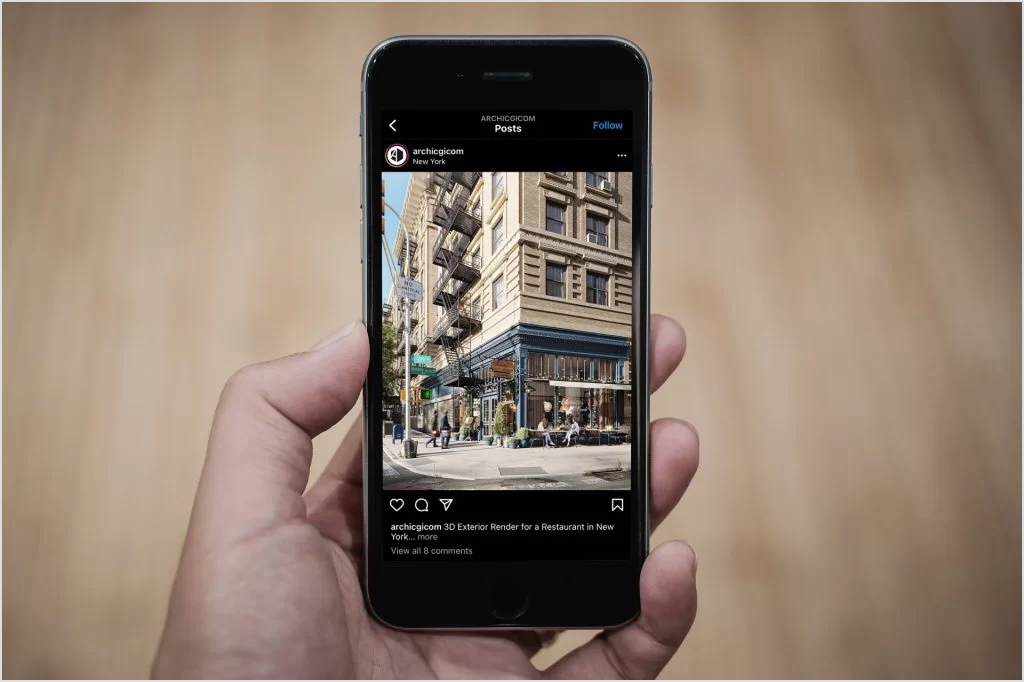
These different aspect ratios give you flexibility in how you present your creative material. Generally, for feed placements, vertical 4:5 images typically perform best because they take up more screen space, increasing the chance users will pause and engage.
It is recommended that you keep the text minimal on the image itself since Instagram’s algorithm historically penalized ads with too much text overlay.
Video ads
Video ads let you tell a more complete story, with support for videos up to 60 seconds in the feed.
These ads auto-play (usually without sound) as users scroll, so the first few seconds need to grab attention visually. Adding captions is essential since most users watch with sound off initially.
Video content tends to generate higher engagement than static images, particularly when demonstrating a product in action or sharing customer testimonials. The format works across feed, Stories, and Reels placements, though you’ll want to optimize the aspect ratio for each.
Also read: How to add captions to your Instagram videos
Carousel ads
Instagram Carousel ads display up to 10 images or videos that users can swipe through. Each card in the carousel can have its own headline, description, and landing page link, making this format ideal for showcasing multiple products, highlighting different features of a single product, or telling a sequential story.
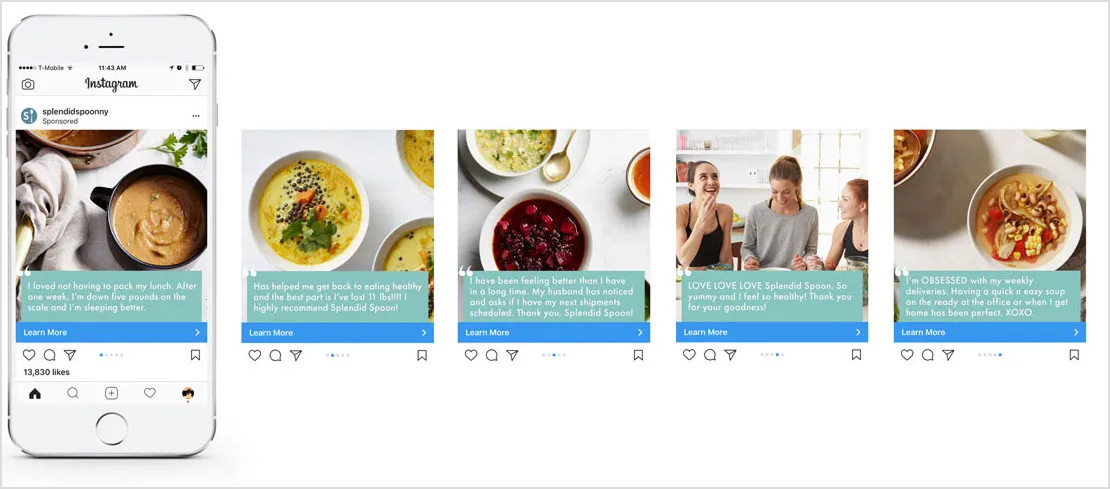
E-commerce brands often use carousels to display product collections, while service businesses might use them to walk through a process or share multiple customer testimonials. The interactive swipe element tends to boost engagement since users actively participate in viewing the content.
Stories ads
Stories ads appear between organic Stories from accounts that users follow. These full-screen vertical ads feel native to the Stories experience, which has become one of the most popular features on Instagram. Because Stories disappear after 24 hours in organic use, there’s an implicit sense of urgency that can boost action rates.
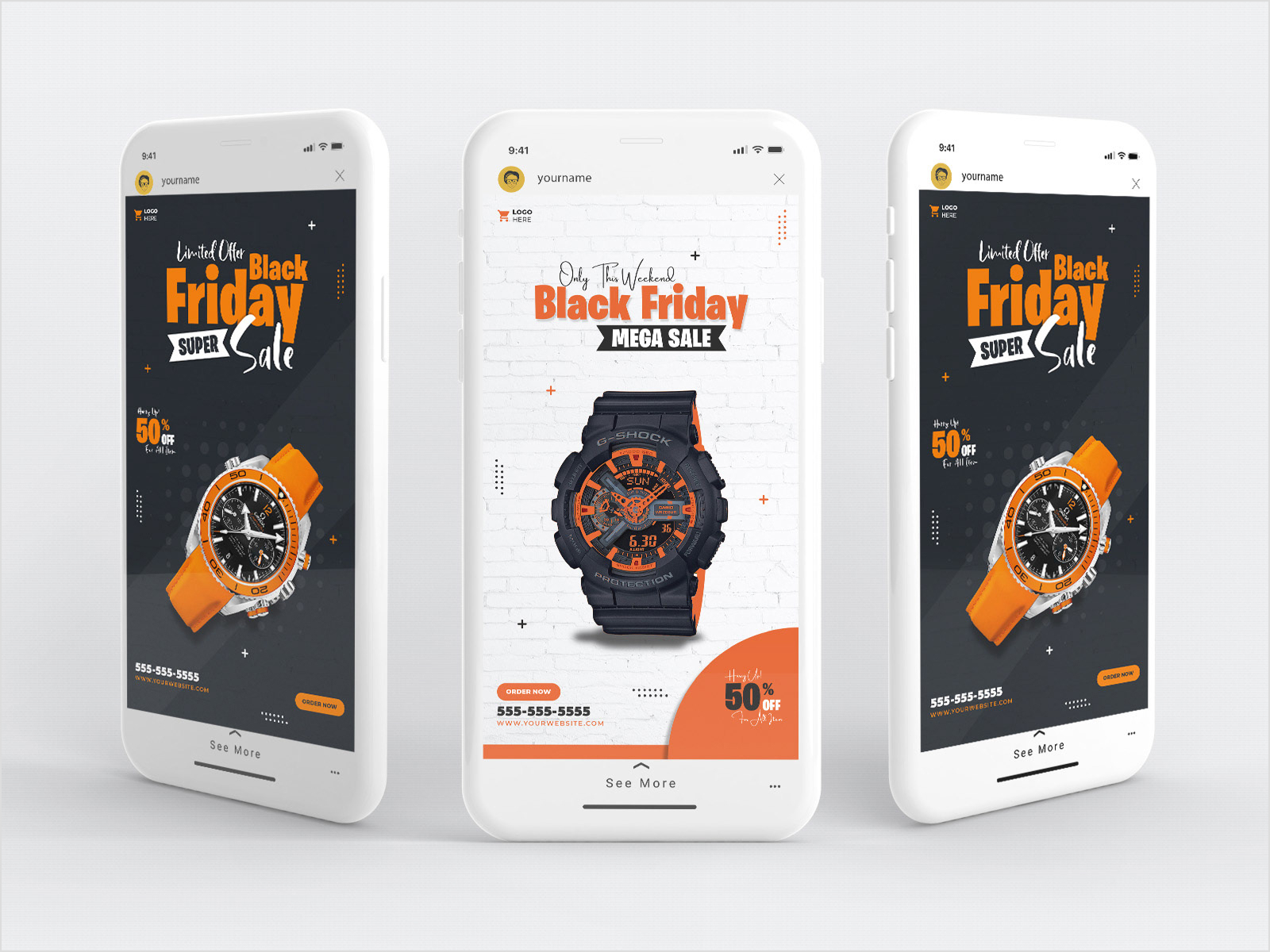
The vertical 9:16 format fills the entire screen, creating an immersive experience. You can use photos (displayed for up to 5 seconds) or videos (up to 120 seconds). Interactive elements like polls, questions, and link stickers make Stories ads particularly engaging.
Reels ads
With Instagram Reels dominating the platform’s content strategy, Reels ads have become increasingly important. These full-screen vertical video ads appear between organic Reels and can run up to 60 seconds. They loop automatically, which means your content needs to work whether someone watches once or multiple times.
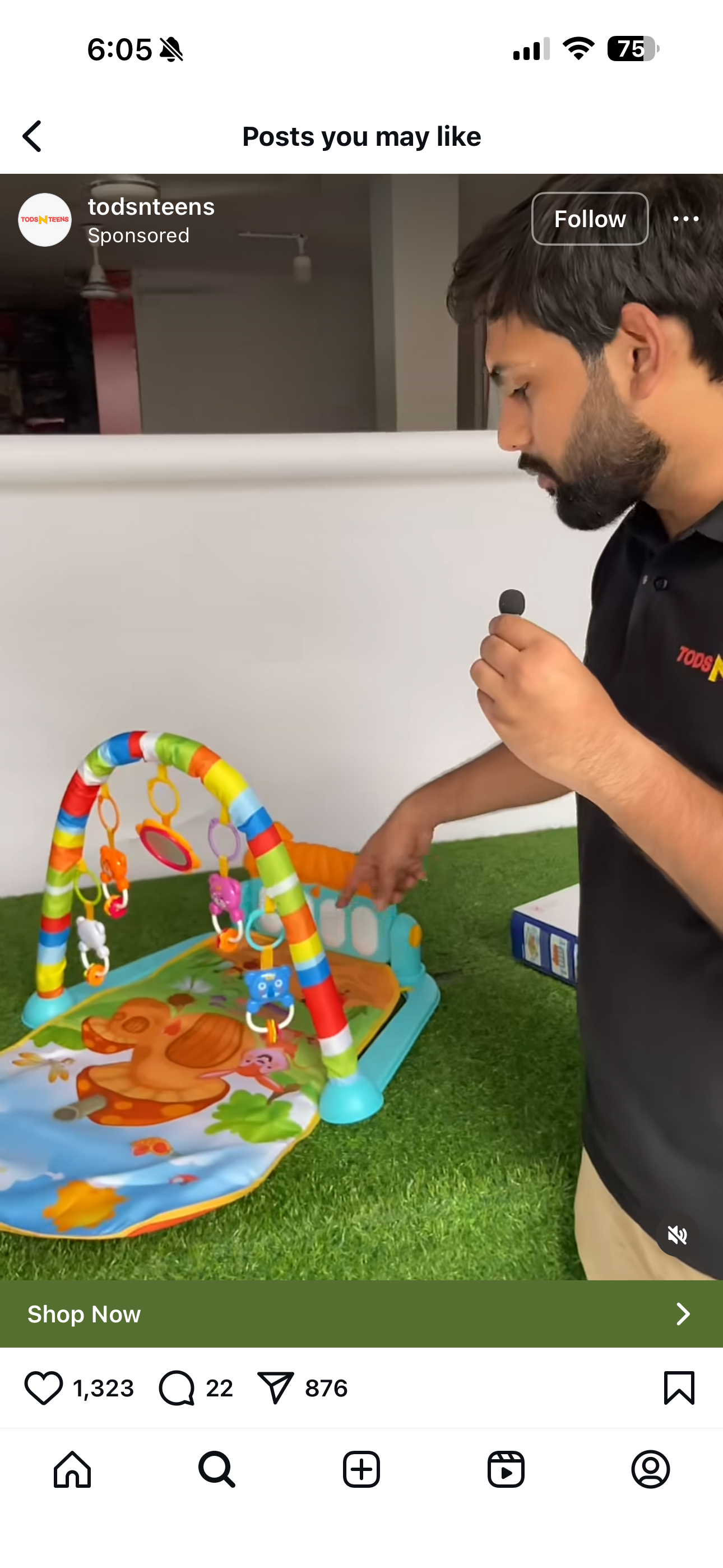
Reels ads should feel native to the format, which means entertaining, fast-paced content typically outperforms polished commercial spots. Sound is more important here than in other placements since users often watch Reels with audio enabled. Trending music, sounds, and relevant reel hashtags can help your ads feel organic.
Explore ads
Explore ads appear in the Explore tab, where users go to discover new content and accounts. These ads show up after a user taps on a piece of content from Explore and begins scrolling through similar posts. Because users in Explore are actively seeking new content, they tend to be more receptive to discovering new brands.

The format uses the same creative specifications as feed ads, making it easy to extend existing campaigns into this placement. Explore ads are particularly effective for awareness campaigns targeting users who are in discovery mode rather than passively scrolling their feed.
Collection ads
Collection ads combine a cover image or video with a product catalog, creating a shopping experience directly within Instagram.
When users tap on the ad, they see an Instant Experience (formerly Canvas) that showcases multiple products. This format is designed specifically for e-commerce brands looking to drive product discovery and purchases.
The format works particularly well for fashion, home goods, and lifestyle brands where visual browsing drives purchase decisions. Users can explore multiple products without leaving Instagram, reducing friction in the shopping journey.
Shopping ads
Shopping ads allow businesses with Instagram Shopping enabled to promote products directly from their catalog. These ads include product tags that users can tap to view product details, pricing, and purchase options. The format creates a more transactional experience compared to other ad types.
To use Shopping ads, you’ll need to set up an Instagram Shop and connect your product catalog. Once configured, you can create ads that pull directly from your catalog, automatically displaying current pricing and availability.
How much does Instagram advertising cost?
Instagram advertising costs vary significantly based on your industry, audience, campaign objectives, and competition. Rather than fixed pricing, Instagram uses an auction system where you compete against other advertisers targeting similar audiences.
The primary metrics to understand are cost per click (CPC) and cost per thousand impressions (CPM). Most advertisers see CPCs ranging from $0.50 to $3.00, while CPMs typically fall between $5 and $15.
However, these numbers can swing dramatically depending on factors like:
- Industry competition: Finance, insurance, and legal services tend to have higher costs due to intense competition and high customer lifetime values. E-commerce and consumer goods often see more moderate pricing.
- Audience targeting: Broader audiences generally cost less to reach than highly specific ones. Targeting CEOs in the tech industry costs more than reaching general consumers interested in fitness.
- Ad placement: Stories and Reels placements sometimes offer lower costs than feed placements, though this varies by audience and objective.
- Campaign objective: Awareness campaigns optimized for reach usually have lower costs than conversion campaigns optimized for purchases
- Time of year: Competition (and costs) increase during peak shopping seasons like Black Friday, holiday periods, and major sales events. Factor seasonality into your Instagram ad strategy when planning budgets.
Instagram offers flexible budgeting options. You can set daily budgets (minimum $1/day) or lifetime budgets for campaign duration. The platform uses this budget to optimize delivery throughout the day or campaign period.
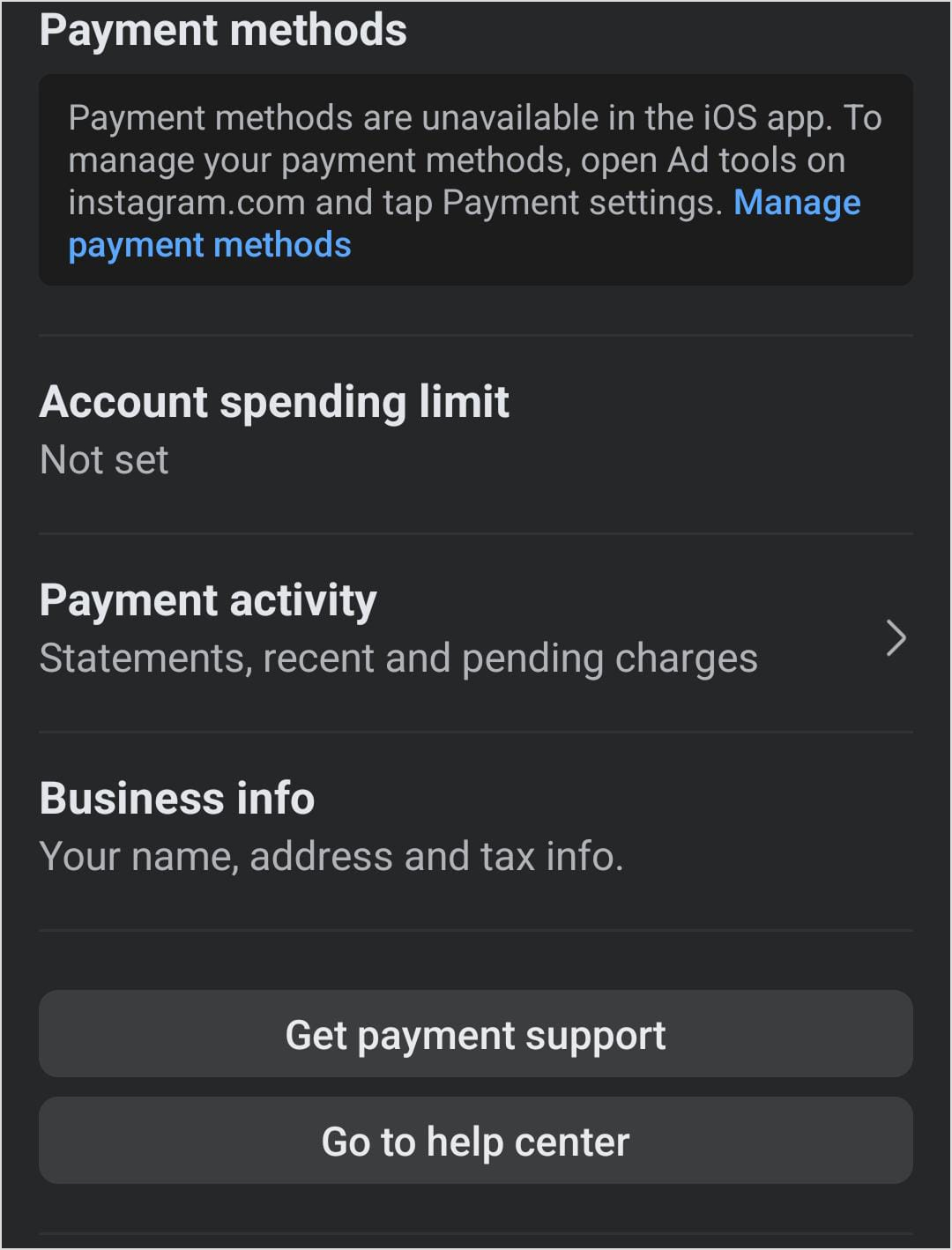
New advertisers can start with $10-20 daily budgets to collect enough data and evaluate performance without significant risk.
One advantage of Instagram’s auction system is that you never pay more than your maximum bid, and you often pay less. The system charges you just enough to beat the next-highest bidder, which means efficient campaigns can stretch budgets further than expected.
How to run Instagram ads with Meta Ads Manager?
Setting up Instagram ads requires a Facebook Business account and access to Meta Ads Manager.
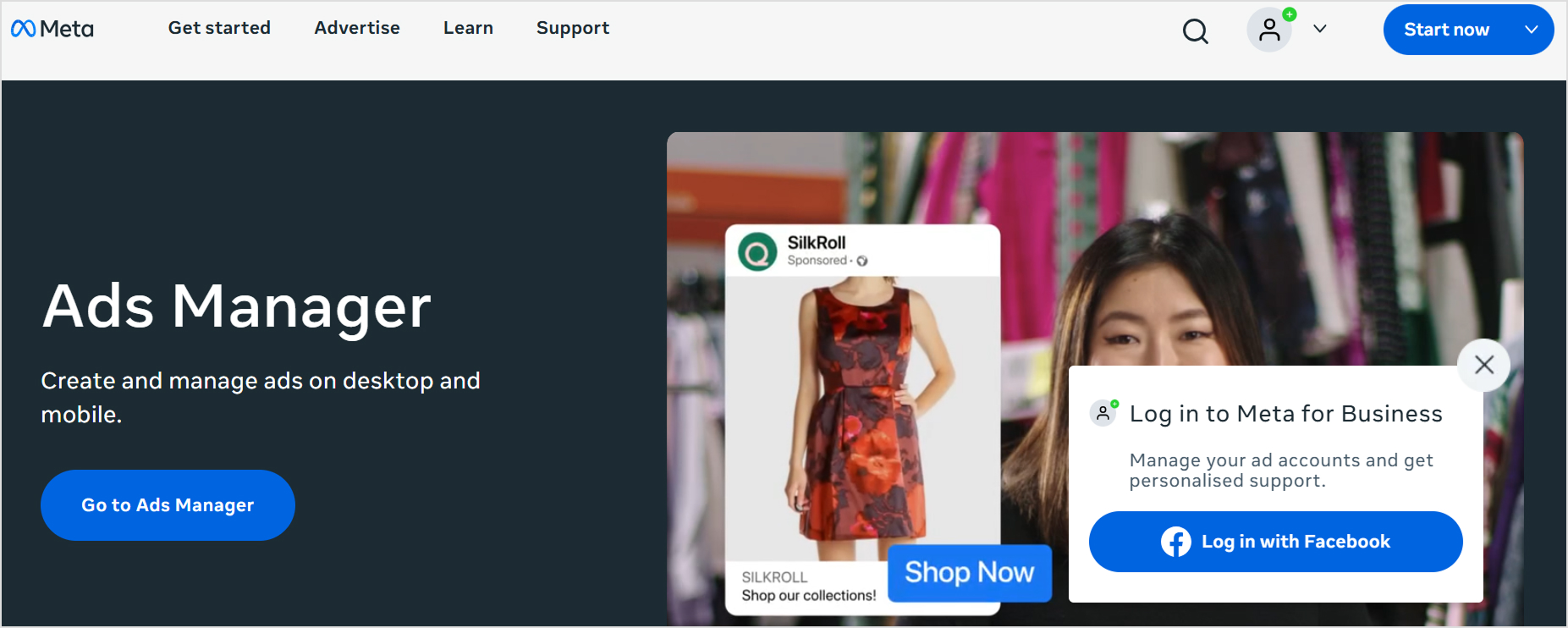
While Instagram offers a simpler “Boost” option directly in the app, Ads Manager provides far more control over targeting, placements, and optimization. This section of our Instagram ads guide walks you through exactly how to run Instagram ads from start to finish.
Step 1: Set up your Meta Business Suite
Before creating ads, ensure your Instagram account is converted to a business or creator account and connected to a Facebook Page. In Meta Business Suite, link both accounts and verify you have admin access to both properties.

Navigate to Ads Manager (found in Meta Business Suite or directly at adsmanager.facebook.com). If this is your first time, you’ll need to set up a payment method in the Billing section.
Step 2: Create a new campaign
Click “Create” in Ads Manager to start a new campaign. You’ll first choose a campaign objective that aligns with your goals:
- Awareness: Maximize reach and brand recall
- Traffic: Drive visitors to your website, app, or landing page
- Engagement: Get more likes, comments, shares, or event responses
- Leads: Collect contact information through lead forms
- App promotion: Drive app installs and in-app actions
- Sales: Generate purchases or conversions on your website
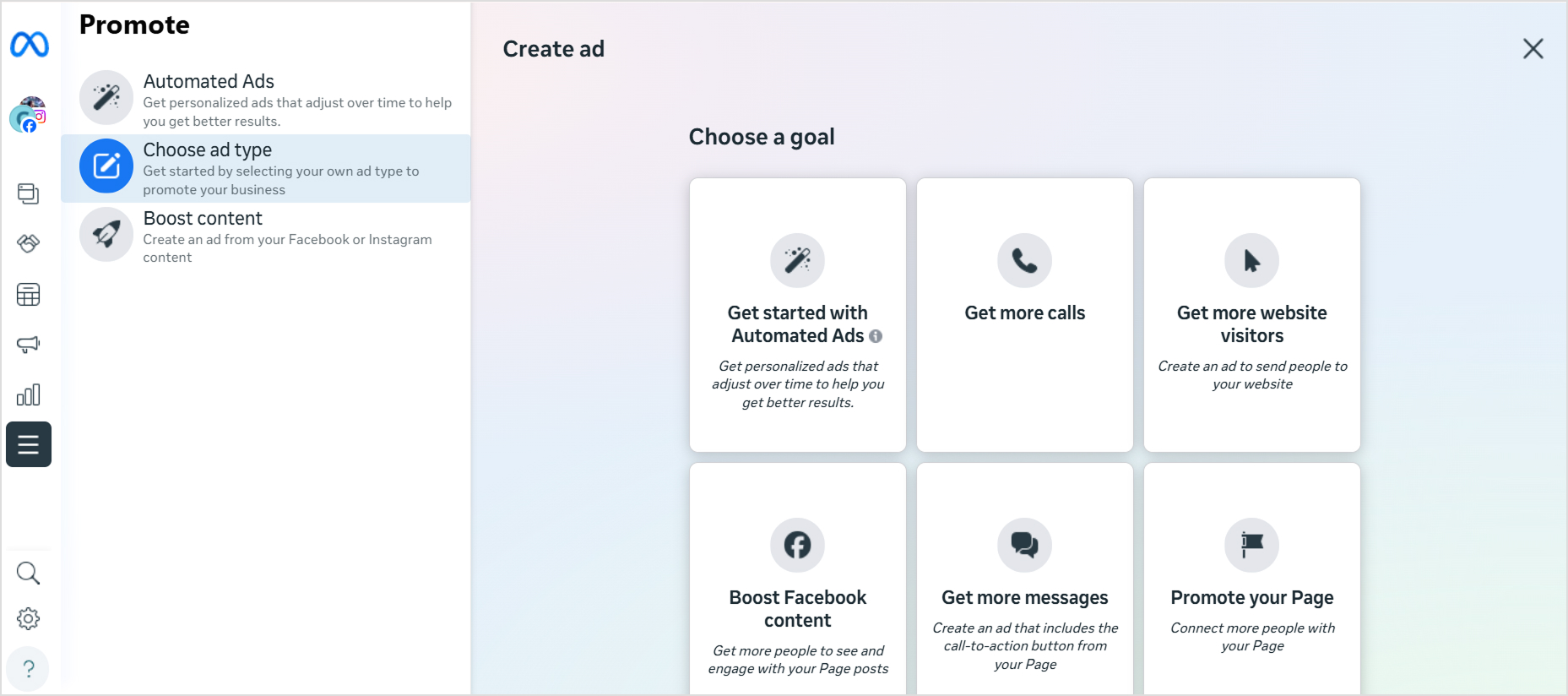
Select the objective that matches what you want to achieve. The platform will optimize delivery based on this choice.
Step 3: Define your audience
At the ad set level, you’ll define who sees your ads. Instagram’s targeting options include:
- Demographics: Age, gender, location, language
- Interests: Topics, hobbies, pages liked, and activities that indicate what someone cares about
- Behaviors: Purchase behavior, device usage, travel patterns, and other actions
- Custom Audiences: Upload customer lists, target website visitors (via Meta Pixel), or reach people who’ve engaged with your Instagram content
- Lookalike Audiences: Find new people similar to your best customers based on your follower growth patterns
Start with a defined audience rather than going too broad. You can always expand targeting later if you need more reach. Planning your campaigns alongside your organic content calendar helps maintain consistent messaging.
Step 4: Choose placements
By default, Meta suggests “Advantage+ placements” (formerly automatic placements), which distribute your ads across Facebook, Instagram, Messenger, and the Audience Network based on where they’ll perform best.
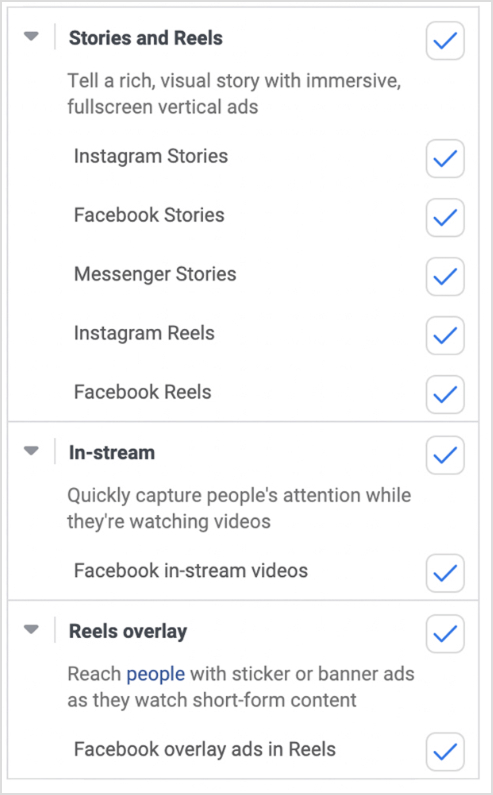
For Instagram-specific campaigns, you can select manual placements and choose only Instagram options. Within Instagram, you can select specific placements:
- Feed
- Stories
- Reels
- Explore
- Explore home
- Profile feed
Running across multiple placements usually provides better results through more efficient budget allocation. However, if your creative is specifically designed for Stories (vertical full-screen), limiting it to Stories-only placement makes sense.
Step 5: Set the right ad specifications
At the ad level, you’ll build the actual creative that users see. Upload your images or videos, write your primary text (the caption), and add a headline if applicable. Select a call-to-action button that matches your objective (Shop Now, Learn More, Sign Up, etc.).
Ensure your creative meets Instagram’s specifications:
- Feed images: 1080 x 1080 px (square) or 1080 x 1350 px (vertical)
- Stories/Reels: 1080 x 1920 px (9:16 vertical)
- Video length: Up to 60 seconds for most placements
- Primary text: Up to 125 characters recommended (more gets truncated)
- Headline: Up to 40 characters recommended
Add your destination URL and any URL parameters for tracking. If using Meta Pixel, verify it’s firing correctly on your landing page.
Step 6: Review and publish
Before submitting, review all campaign settings. Check your targeting, budget, schedule, and creative one more time. When satisfied, click “Publish” to submit your ad for review. Most ads are reviewed within 24 hours, though some may take longer.

Once approved, your ads will start delivering based on your schedule and budget settings.
6 best practices for Instagram ads
Creating effective Instagram ads requires more than following the setup process correctly. These Instagram ad best practices help maximize your return on ad spend and build campaigns that consistently perform.
1. Create thumb-stopping visuals
Instagram users scroll quickly, making their first impression of your ad in milliseconds. Your creative needs to halt that scroll immediately. This means bold colors, clear focal points, and visuals that stand out against typical feed content.
Avoid generic stock photography that looks like every other ad. Instead, invest in original imagery or use user-generated content that feels authentic. Show real people using your product in realistic settings rather than overly polished studio shots that scream “advertisement.”
For video content, front-load the most compelling visual element. If viewers need to watch 10 seconds before anything interesting happens, you’ve already lost them. Lead with motion, unexpected imagery, or immediate value.
2. Match creative to placement
A single creative asset across all placements is a common mistake. What works in the feed often fails in Stories, and vice versa. Feed content can include more detail and longer captions since users scroll at their own pace. Stories demand full-screen vertical content designed for quick consumption with sound-on potential.
Create placement-specific versions of your ads. A square product shot for feed might become a vertical lifestyle video for Stories showing the same product in use. This extra effort typically delivers measurably better results than forcing one asset into incompatible formats.
When planning campaigns, use tools like an Instagram scheduler to organize your organic content, along with ad creative calendars. Consistent planning helps ensure your paid content aligns with your overall brand presence.
3. Write copy that complements, not competes
Your ad copy should work with your visual, not fight for attention against it. If your image clearly shows a product benefit, your caption doesn’t need to repeat that message. Instead, add context, create urgency, or address objections the visual can’t cover.
Keep primary text concise. Instagram truncates captions after a few lines, so your most important message needs to appear before the “see more” cutoff. Lead with the value proposition or hook, then provide supporting details.
Include a clear call-to-action in your copy, not just on the button. Tell users exactly what you want them to do and why it benefits them. “Shop our summer collection” is weaker than “Get 20% off these best-sellers before Friday.” If you’re stuck, an Instagram caption generator can help spark ideas.
4. Test systematically, not randomly
Effective testing requires structure. Rather than changing multiple variables simultaneously, isolate individual elements to understand what drives performance.
Test one thing at a time:
- Creative testing: Same copy, different images or videos
- Copy testing: Same creative, different headlines or primary text
- Audience testing: Same ad, different targeting parameters
- Placement testing: Same ad set, different placement selections

Run tests with sufficient budget to reach statistical significance. A test that spends $20 and shows 50 clicks can’t tell you anything reliable. Plan for enough conversions in each variant to draw meaningful conclusions.
Document your learnings and apply them to future campaigns. Over time, you’ll develop a playbook of Instagram ad best practices that works specifically for your brand and audience.
5. Use audience insights
Instagram’s algorithm learns from every interaction with your ads. The more data you feed it, the better it performs. But you can accelerate this learning by starting with well-defined audiences built from your existing customer knowledge.
Use Instagram Insights and analytics from your organic content to understand:
- What resonates with your current followers?
- Which posts generate the most engagement?
- What content types drive profile visits?
These insights inform your paid strategy.
Custom Audiences based on website visitors or customer lists often outperform interest-based targeting because you’re reaching people who’ve already shown intent. Retargeting website visitors who didn’t purchase captures high-intent users who may just need another touchpoint.
6. Monitor and optimize continuously
Launching a campaign is just the beginning. Review performance data regularly (daily for high-budget campaigns, weekly for smaller ones) and make informed adjustments.
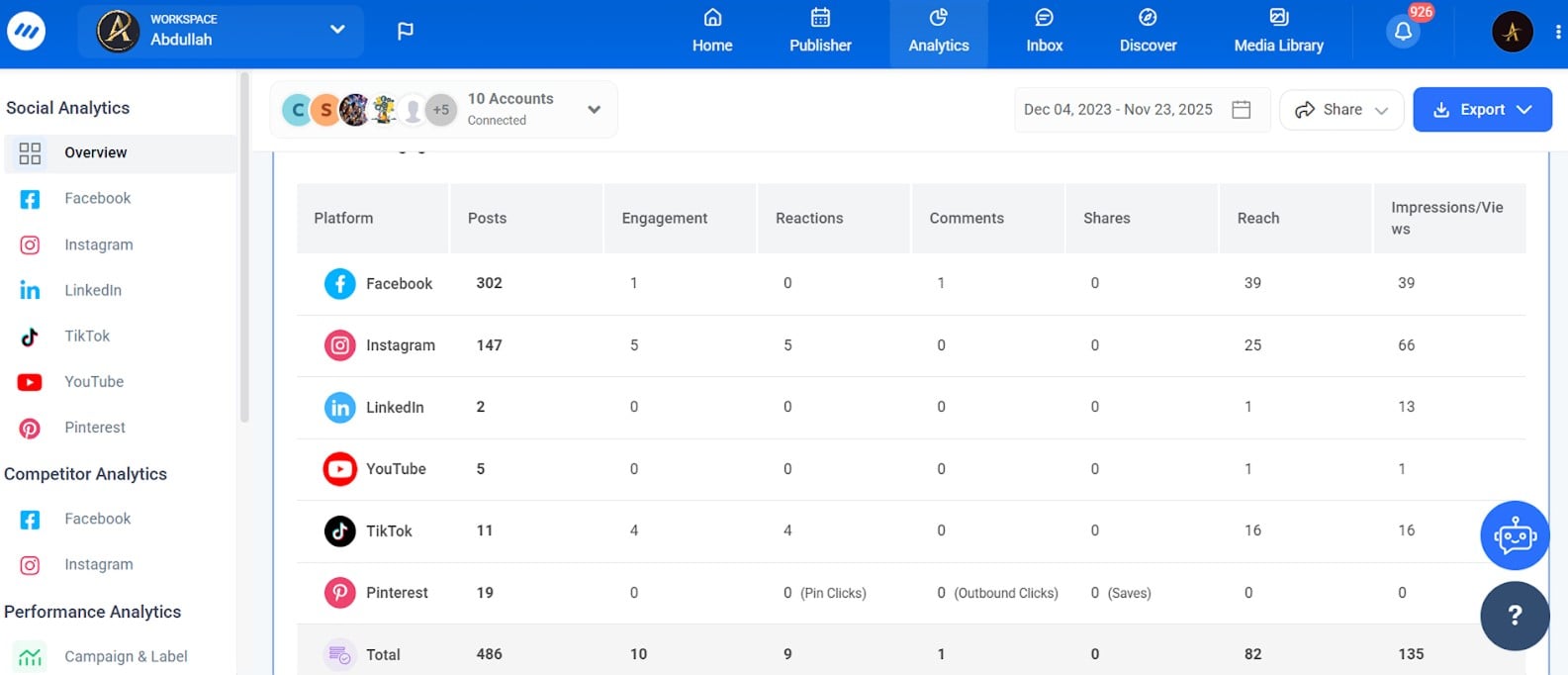
Key metrics to watch:
- Click-through rate (CTR): Indicates creative relevance and audience interest
- Cost per result: Whether that’s CPC, cost per lead, or cost per purchase
- Frequency: How often the same person sees your ad (fatigue sets in around 3-4)
- Relevance diagnostics: Quality ranking, engagement ranking, and conversion ranking compared to competing ads
When performance declines, diagnose before reacting. High frequency suggests audience fatigue and the need for new creative. Low CTR with decent reach indicates creative or audience mismatch. High CTR but low conversions points to landing page or offer issues. Tracking your engagement rate over time helps establish performance benchmarks.
Also read: How to boost Instagram engagement
Final thoughts
Instagram advertising offers powerful opportunities for brands willing to invest in understanding the platform and its users. Success comes from combining the right ad formats with compelling creative, precise targeting, and ongoing optimization. Use this Instagram ads guide as your roadmap, but remember that every audience is different.
Start with clear business objectives, test your assumptions, and let data guide your decisions. The advertisers who win on Instagram aren’t necessarily those with the biggest budgets, but those who most deeply understand their audience and consistently deliver content worth stopping for.
Your next step is simple: set up your first campaign using the process outlined above, start with a modest budget, and begin learning what works for your specific business. Combine these advertising efforts with organic social media management and marketing to generate the best results.
FAQs
How to run Instagram ads?
Running Instagram ads requires a Meta Business account connected to your Instagram business or creator profile. Access Meta Ads Manager, create a new campaign, select your objective (awareness, traffic, conversions, etc.), define your target audience, set your budget and schedule, then create your ad creative with images or video plus compelling copy. After submission, your ad goes through a review process before going live.
How to properly do Instagram ads?
Effective Instagram ads start with clear goals and audience understanding. Use high-quality visuals designed for each placement, write concise copy that drives action, and target audiences based on demographics, interests, or behaviors relevant to your offer. Test different creative and audience combinations, monitor performance metrics, and optimize based on data.
How do ads work on Instagram?
So how does Instagram advertising work at a technical level? Instagram ads use an auction system where advertisers bid to reach their target audiences. When you create an ad, you specify who you want to reach and how much you’re willing to pay. Instagram’s algorithm then determines which ads to show based on the bid amount, estimated action rates (how likely someone is to take the desired action), and ad quality. Ads appear in users’ feeds, Stories, Reels, and Explore pages, labeled with a “Sponsored” tag. You’re charged based on your campaign objective, either per impression, click, or conversion.
Recommended for you







Powerful social media management software
7-day free trial - No credit card required.