Bulk-generate & schedule posts in seconds with Smart Scheduling. Try now!
How to mute words on Twitter (X)?
 Published by Khadija Anwar
If your X (formerly Twitter) feed feels overwhelming or cluttered with topics you’d rather avoid, muting words is one of the easiest ways to take control of what you see. Whether it’s spoilers, repetitive trends, or conversations you’re just not interested in, X lets you filter them out with a few quick settings. In this guide, you’ll learn exactly how to mute words, phrases, hashtags, and even entire topics so your feed feels calmer, cleaner, and more relevant to you.
Also Read: How to tweet a GIF on Twitter?
X (Twitter) Marketing
Schedule perfectly crafted tweets and manage your X (Twitter) content with a unified content calendar.
Get Started for FREE
Steps to mute words on Twitter (X)
Here are simple, clear steps to mute words on Twitter (X):
Step 1:
Open the X app and tap your profile icon in the top-left corner.
Select Settings & Support, then tap Settings and privacy.

Step 2:
Look for and tap Privacy and safety in settings.

Step 3:
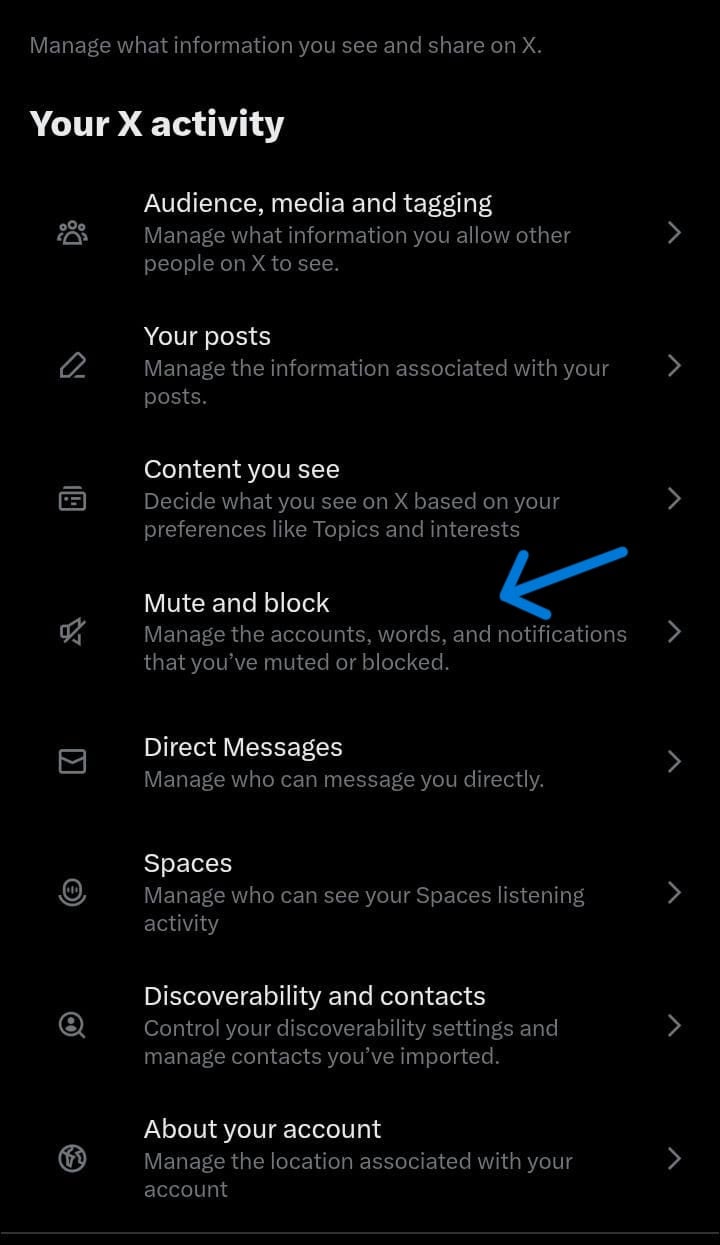
Tap on “Mute and block” from the privacy list.
Step 4:
Tap on “Muted words.”

Step 5:
Tap the + (plus) icon to add a new word or phrase.

Step 6:
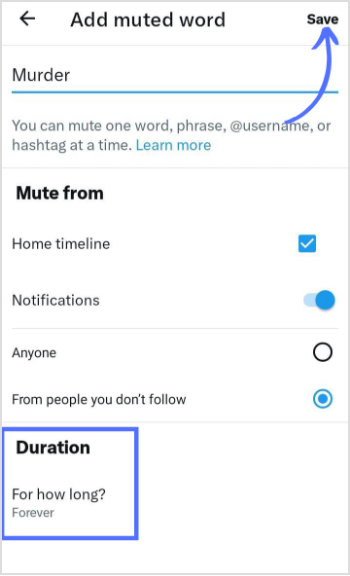
Enter your muted words or phrases. You can choose to mute the word from your timeline only or from both your timeline and notifications. This flexibility ensures you still receive important updates while filtering out unwanted content. You can also set the duration.
After entering the word and choosing your preferred muting options, tap on the “Save” button. Twitter (X) will instantly apply your mute settings, and you’ll immediately notice the difference in your feed.
That’s it! You’ve successfully muted words on Twitter (X). Now, enjoy a more peaceful browsing experience. Remember, muting words is a powerful tool to control your Twitter (X) experience. It’s perfect for filtering out spoilers, unwanted discussions, or any topic that you’d prefer not to see.
FAQs
How do I mute words on X?
Go to Privacy and Safety> Tap on muted words and block > Add your unwanted words and phrases here.
How do I temporarily mute a topic on Twitter?
To temporarily mute a topic on Twitter, on to the search results page, tap on the three-dot menu next to the topic, and select “Mute this conversation” – it will be muted for 24 hours.
Recommended for you



How to turn off active status on instagram in 2026 (Step-by-step guide)









Powerful social media management software
7-day free trial - No credit card required.